DocsShaping data
Read a CSV
Reads the rows of a CSV file, one at a time. It is a first step, like Pull from an endpoint.
Where the CSV comes from
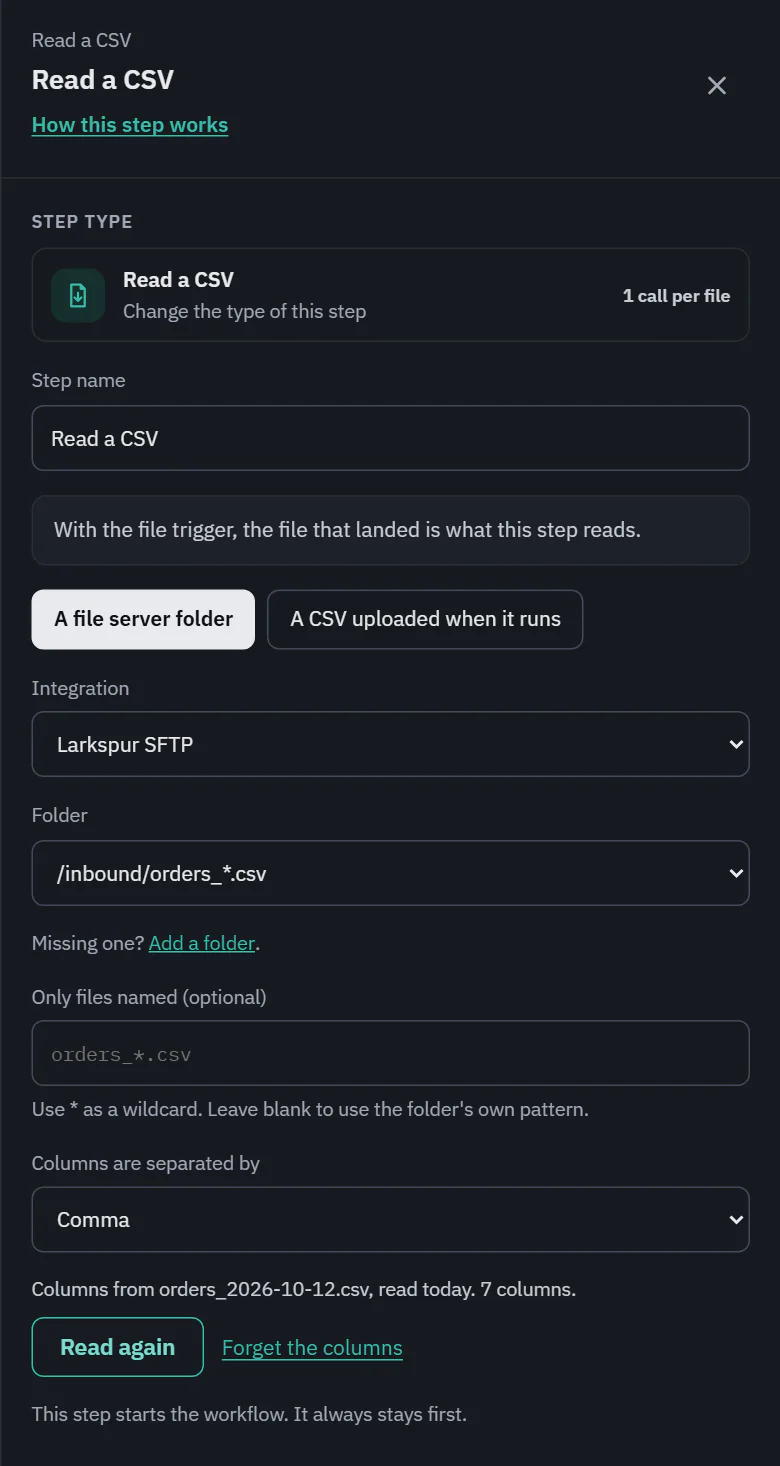
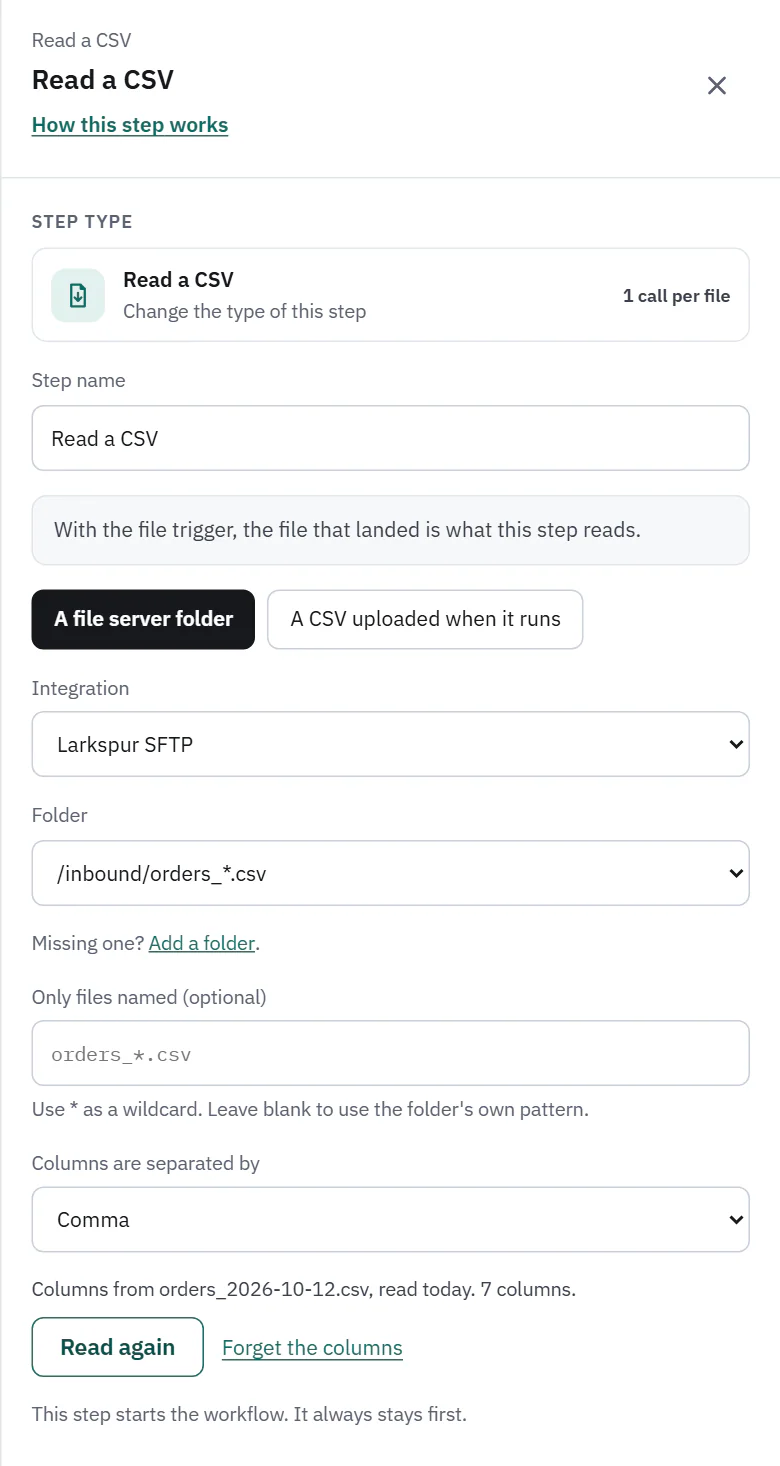
- A file server folder: pick an integration and a folder. With the "When a file lands" trigger, the file that landed is what this step reads, and the drawer says so. On Starter, Pro and Business. Free can use only an uploaded CSV or a download.
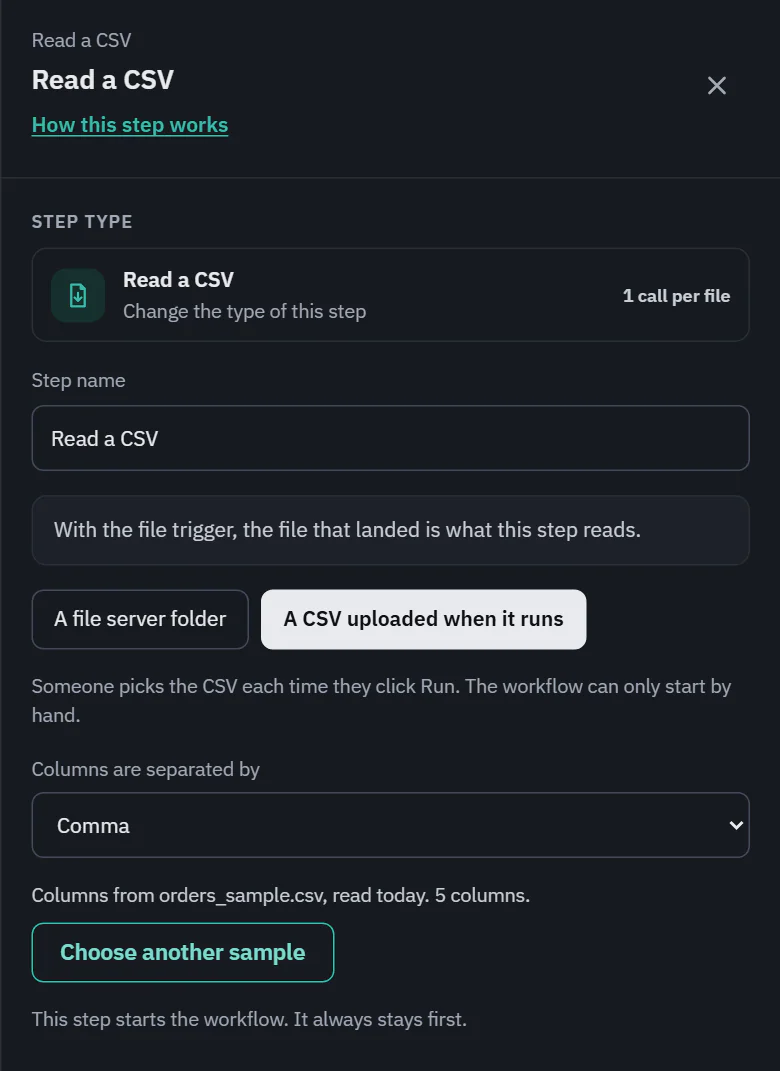
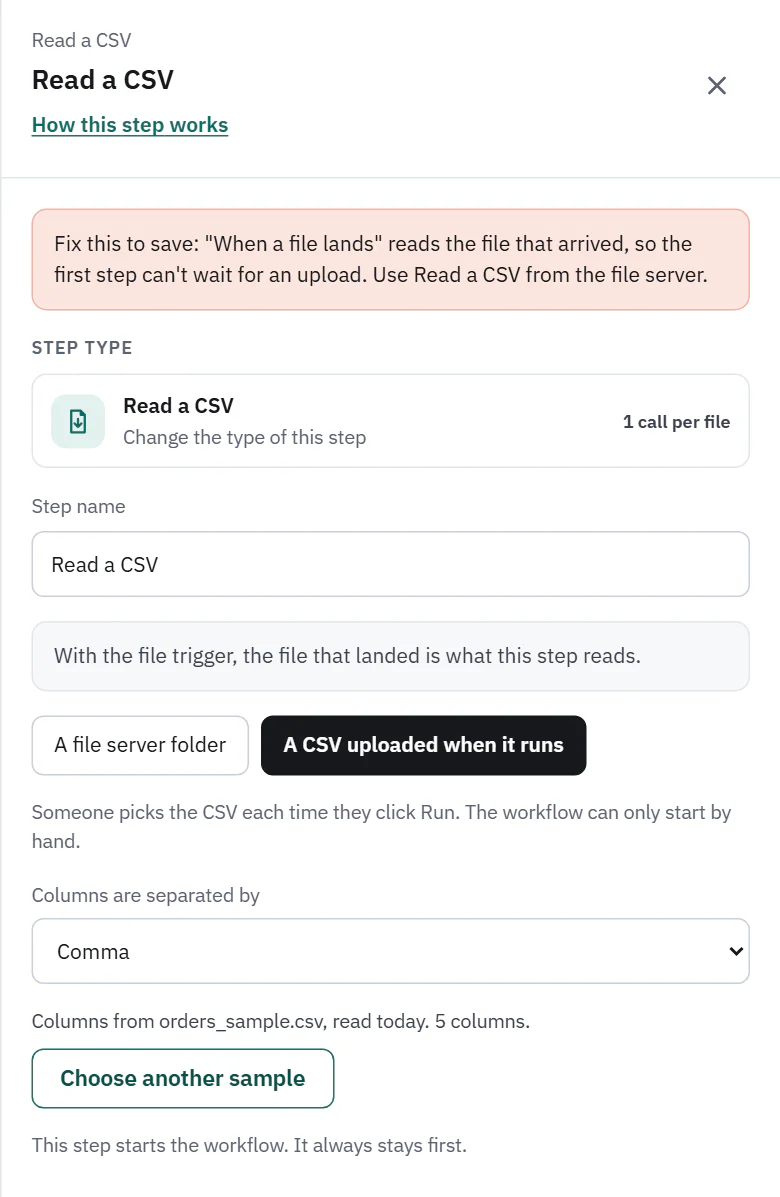
- A CSV uploaded when it runs: someone picks the file each time they click Run, so the workflow can only start by hand.
Only files named (optional) narrows a folder to a pattern with * as a wildcard, for example orders_*.csv. Leave it blank to use the folder's own pattern. Columns are separated by is Comma, Semicolon, Tab or Pipe.
Columns are known while you build
A CSV's columns are only really known when a file is read. So that the steps after this one can list columns instead of asking you to type names, this step keeps the columns of a sample. Filter rows, Map fields, Split a list into rows and Remove duplicates all show them in their field pickers. A run always uses the columns of the file it really reads: the saved list never makes a run fail.
- Read columns from a file (a folder): lists the folder, takes the newest file that matches and reads only its header and first rows. It then says "Columns from" and the file's name, "read today" and the number of columns with Read again and Forget the columns. It needs a plan with file servers.
- Choose a sample CSV (an upload): pick a file that looks like the ones you will run. Only its header and first rows are read (your browser sends just the first 512 KB), and the type of each column is guessed: number, true or false, date or text.
 (opens the full size image in a new tab)
 (opens the full size image in a new tab)
 (opens the full size image in a new tab)
 (opens the full size image in a new tab)
Reading a sample is a test read. It is never counted as an API call, and the only thing kept is the column list (an upload keeps its first rows too, so that Show values on a filter can use them). Changing the source or the folder clears the saved columns. If a sample has one column but looks separated by something else, a gray note says so and offers a button such as Use semicolons and read again.
When a file is not what the step expects
- More values than the header has columns: that row is skipped, with "Line 12 has 7 values, but orders.csv has 5 columns. Remove the extra values, or add column names for them." Empty values after the last column are ignored. A row with fewer values is padded with empty ones.
- The wrong separator: when the first line has one column but would split cleanly on a semicolon, tab or pipe, the run fails and says which: "orders.csv looks like it uses semicolons to separate columns, but the step reads columns separated by commas, so every line would be one value. Change "Columns are separated by" in the Read step, then run it again." Runs never switch by themselves.
- An unterminated quote: the run fails at the line where it opened. A quote in the middle of an unquoted value is just text.
- Text that is not UTF-8 is read as Windows-1252, and the step says so once.
- A file over the plan's size limit is refused before a byte is read, with the exact sizes, and costs nothing. The limit is checked on the bytes really read too. A line can be up to 16 MB, a row up to 500 columns, and a folder is read up to 10,000 files.
- A connection that breaks or a server that stops sending for 2 minutes fails the run as a server problem, not a bad file, and it can be retried.
Cost and the run line
1 API call for each file, for a file server, an upload or a linked file alike. The run line reads "214 rows read".