DocsAdvanced workflows
Call your system when a run ends
An outgoing webhook lets another system know a run is over, without anyone polling. When a run ends the way you chose, Ladeworks sends a POST with the run's result to your address. On Pro and Business.
Set it up
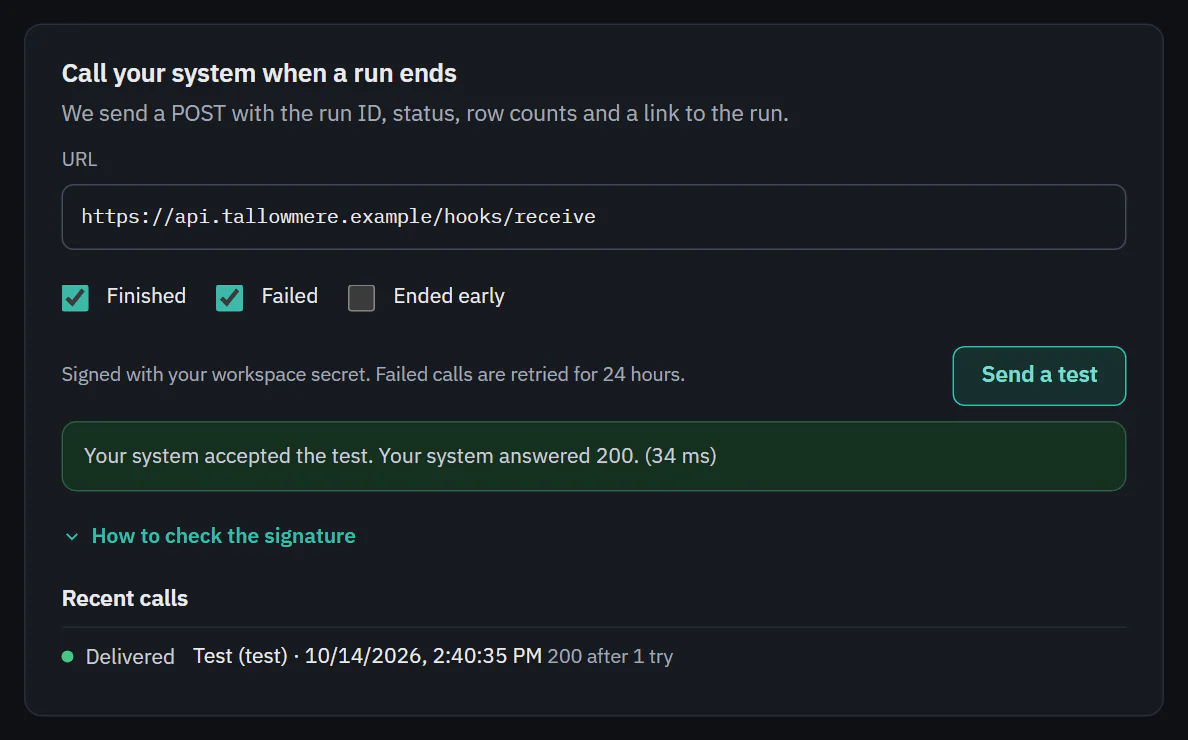
Open the workflow's Settings tab and find Call your system when a run ends.
- Enter the URL of your system, starting with https://. Leave a user name and password out of it: Ladeworks signs each call so your system can check it came from us.
- Tick the events: Finished, Failed and Ended early. Finished and Failed are on until you choose.
- Choose Send a test. Ladeworks sends one sample call to the address as typed, and says whether your system accepted it and how long it took.
- Save the workflow. The address and events apply to runs after you save.
 (opens the full size image in a new tab)
 (opens the full size image in a new tab)
What it sends
A JSON body with ids, counts and Ladeworks' own message. It never holds row data.
- event: run.finished, run.failed, run.ended_early or webhook.test. id is the same for retries, so your system can ignore a call it has already handled.
- workflow_id, workflow_name, workspace_id and run_id.
- result, message (the run's own message, for example why it failed) and started_by.
- counts with pulled, sent and skipped, and api_calls.
- started_at, finished_at, duration_ms and created_at.
- run_url: a link to the run in Ladeworks.
Test runs from the builder do not send a call. Send a test sends the sample, marked "test": true. Calls are not API calls and do not use your allowance.
Check the signature
Each call has the header X-Ladeworks-Signature: t=<unix seconds>,v1=<hex>. Compute an HMAC-SHA256 of <t>.<raw request body> with your signing secret as the key, compare it with v1, and reject calls where t is more than five minutes old. Any 2xx answer counts as delivered.
The signing secret belongs to the workspace. Owners and Admins can see it: open How to check the signature and choose Show signing secret. Everyone else sees a note that says who can.
When a call fails
If your system does not answer with a 2xx, Ladeworks tries again, waiting longer each time, for 24 hours, and then gives up. Recent calls lists each call with a dot and a word: Delivered (with the status and how many tries it took), Retrying (with the reason and tries so far) or Failed. The signature timestamp is refreshed on every try. If the address itself is wrong, the box says what to enter, for example the full address starting with https://.
Run alerts to people are separate: see what alerts say.