DocsShaping data
Pull from an endpoint
Fetches records from an API. It is a first step: it starts the workflow by getting the rows the other steps work on.
Settings
 (opens the full size image in a new tab)
 (opens the full size image in a new tab)
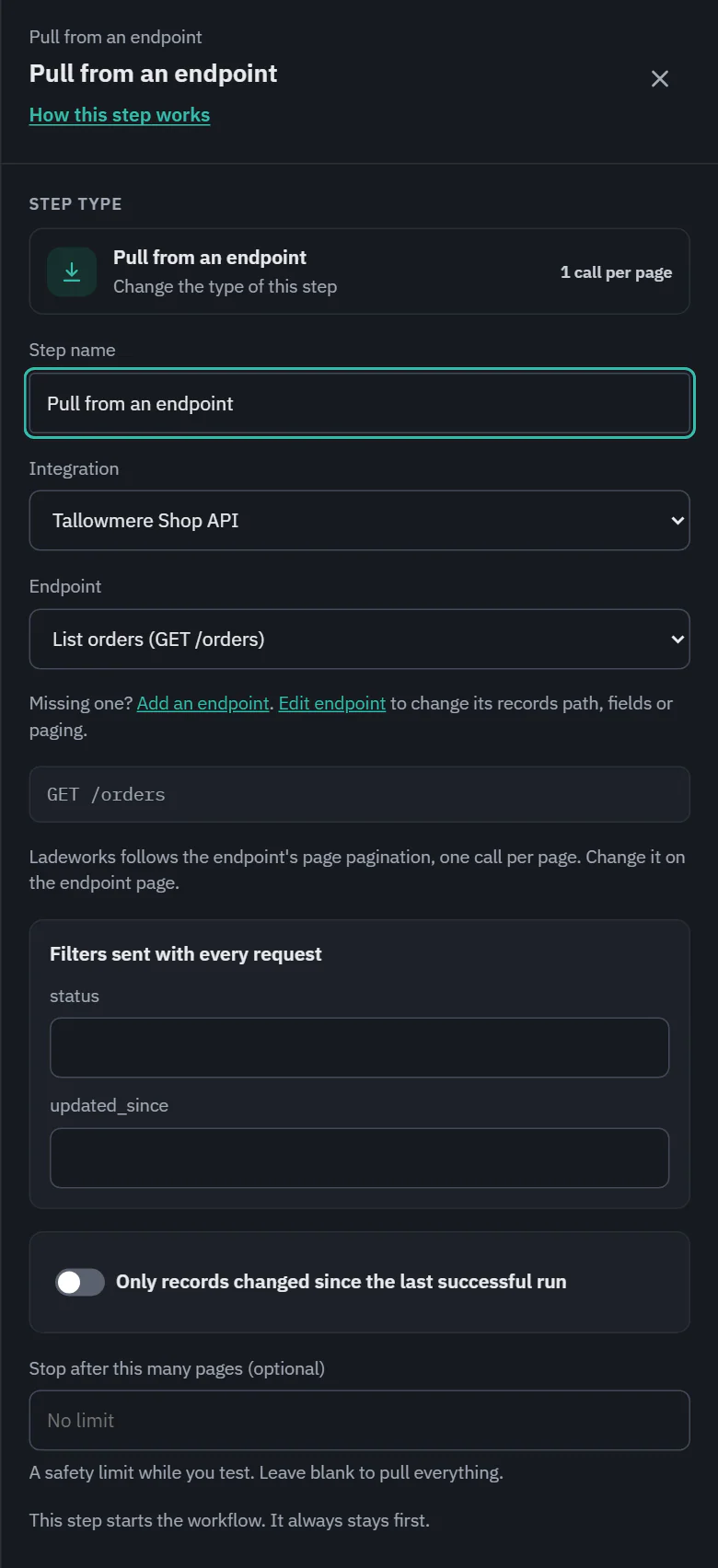
- Integration and Endpoint: the endpoint must pull data. The address under it shows the request, for example GET /orders. Add an endpoint and Edit endpoint take you to the integration and bring you back to this step.
- Filters sent with every request: the endpoint's query and path fields. A required one is marked "(required)", and a step cannot run without it. The builder says "Enter a value for slug." under the field and on the step's card, and turning the workflow on or running it is refused until you do.
- Only records changed since the last successful run: see below. On Starter, Pro and Business.
- Stop after this many pages (optional): a safety limit while you test. Blank pulls everything.
Paging
The line under the address says how the endpoint pages: "Ladeworks follows the endpoint's page pagination, one call per page", or "This endpoint returns everything in one response". Paging is set on the endpoint, not here.
Ladeworks keeps asking for pages until the API says the list is over. The signs are a missing next page token or link, a "has more" flag that is false, the page count or the total count reached, or a page that comes back empty. A page with fewer records than asked for is not a sign: some APIs return fewer than you ask for. When the API gives no sign at all, the pull stops at the first empty page, which costs one extra call each run, and the estimate includes it.
If an API answers a second request with the page it already sent, the run fails with "X returned the same page twice. Check the endpoint's paging settings." A single pull stops after 10,000 pages and says so, with two ways out: raise the page size on the endpoint, or turn on the option to read only what changed.
Only records changed since the last run
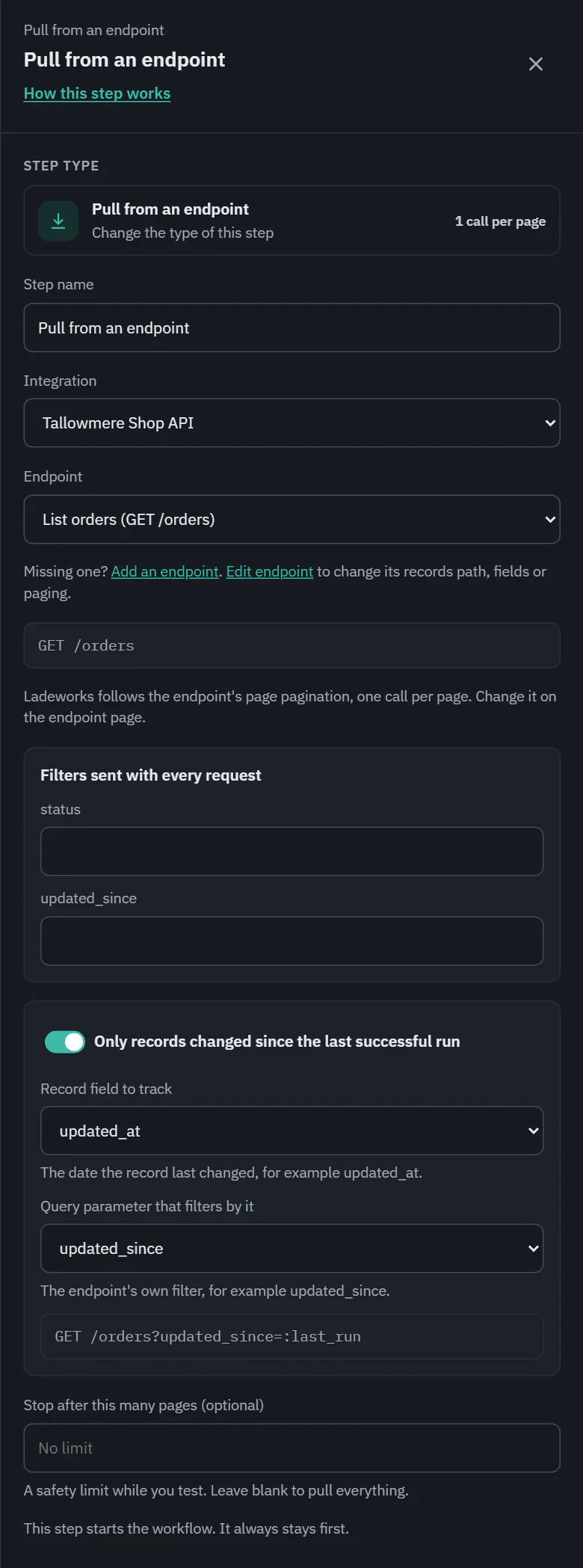
Turn on Only records changed since the last successful run and each run asks only for what is new or different. Two choices tie it to the endpoint:
- Record field to track: the date a record last changed, such as updated_at.
- Query parameter that filters by it: the endpoint's own filter, such as updated_since.
 (opens the full size image in a new tab)
 (opens the full size image in a new tab)
The drawer shows the request it will make: GET /orders?updated_since=:last_run. The time of the last successful run fills in the placeholder. A run that fails does not move it, so nothing is missed. On Starter, Pro and Business.
Combined with "Don't send records that were already sent" on the Push step, a workflow can run every few minutes and cost almost nothing when nothing changed.
Cost and the run line
1 API call for each page. A list of 120 orders at 50 a page is 3 calls. The card shows the estimate, which is based on 100 rows until the workflow has run. In a run, the step reads "120 orders pulled", with the name taken from the endpoint, then the calls it made. In a test, it stops at 10 rows and says "(test limit)".
A pull fails when the API refuses it (a 401 or 403 points at the integration, with an Open the integration link) or when the records are not where the endpoint says (the note has an Open the endpoint link to fix the records path).