DocsHelp
Get help with this
When something has gone wrong, a Get help with this link opens Contact support with the details already attached. It is on Starter, Pro and Business. Other plans show nothing extra on those pages.
A failed run
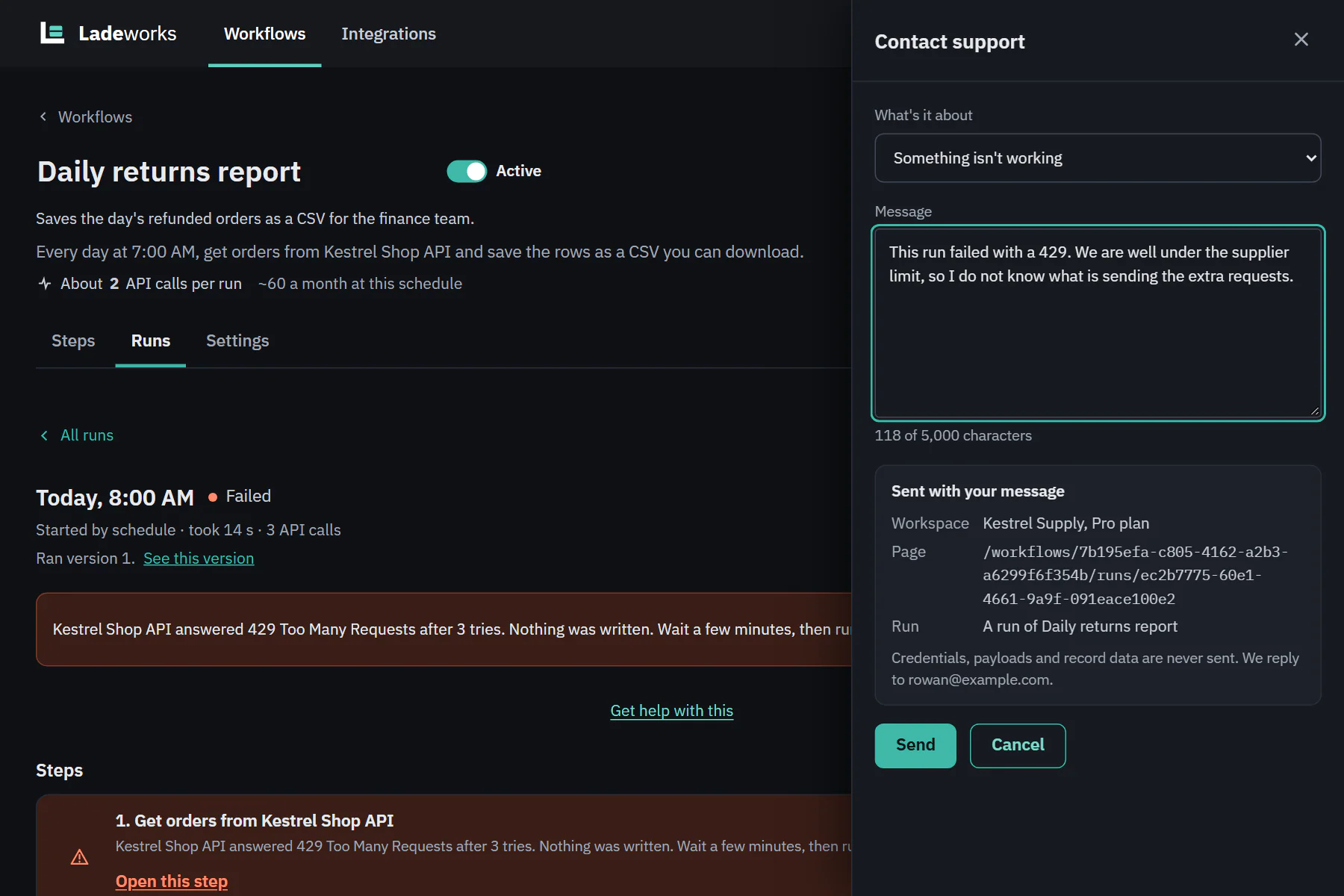
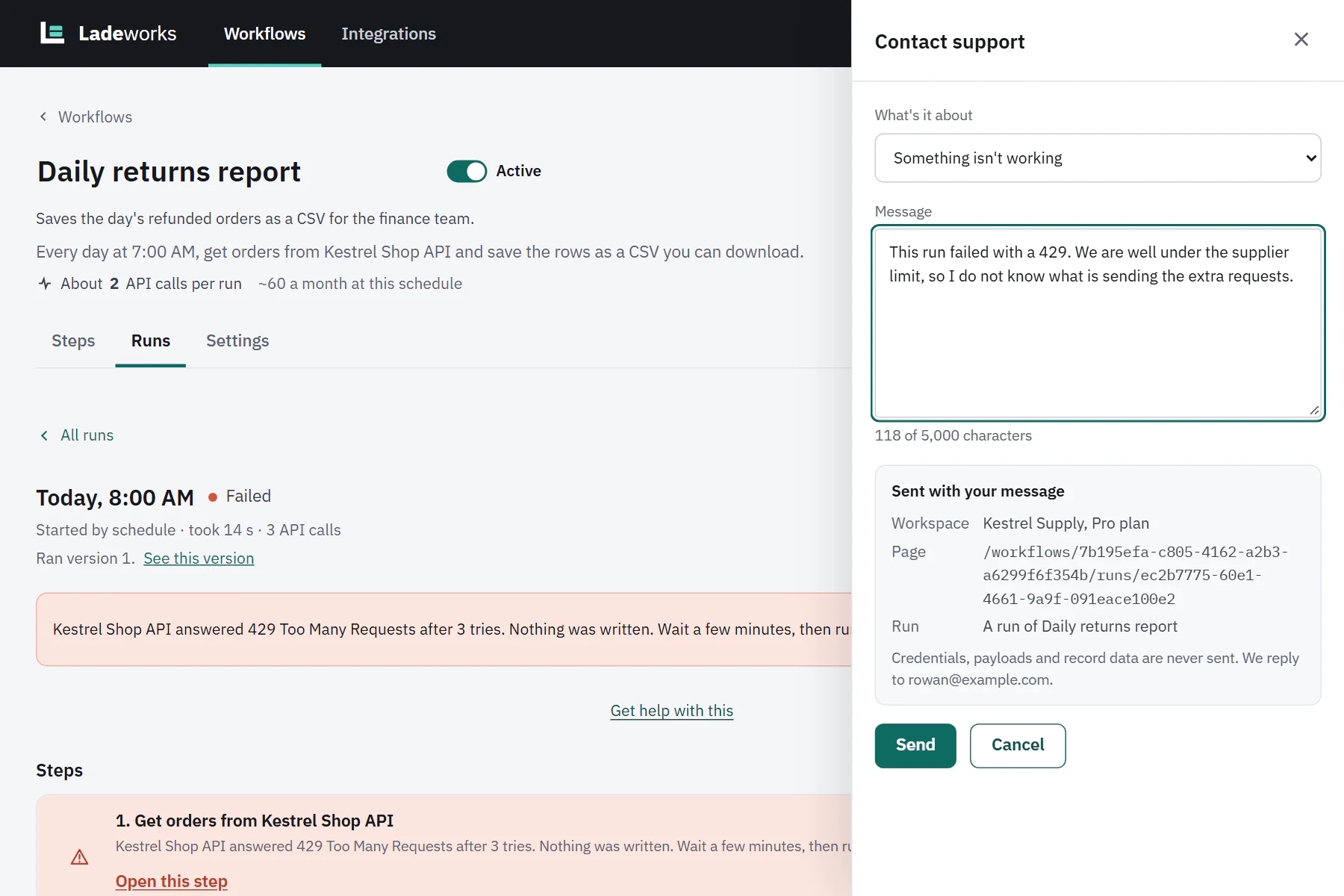
Open a run that failed. Under the red message you see Get help with this. It opens the Contact support panel with the topic set to Something isn't working and the run attached. Sent with your message says "A run of" and the workflow's name, next to the page path.
 (opens the full size image in a new tab)
 (opens the full size image in a new tab)
Ladeworks looks up the run's own details when your message arrives: what the run did and how it failed. It does not attach the rows, the requests or the responses.
An integration that needs attention
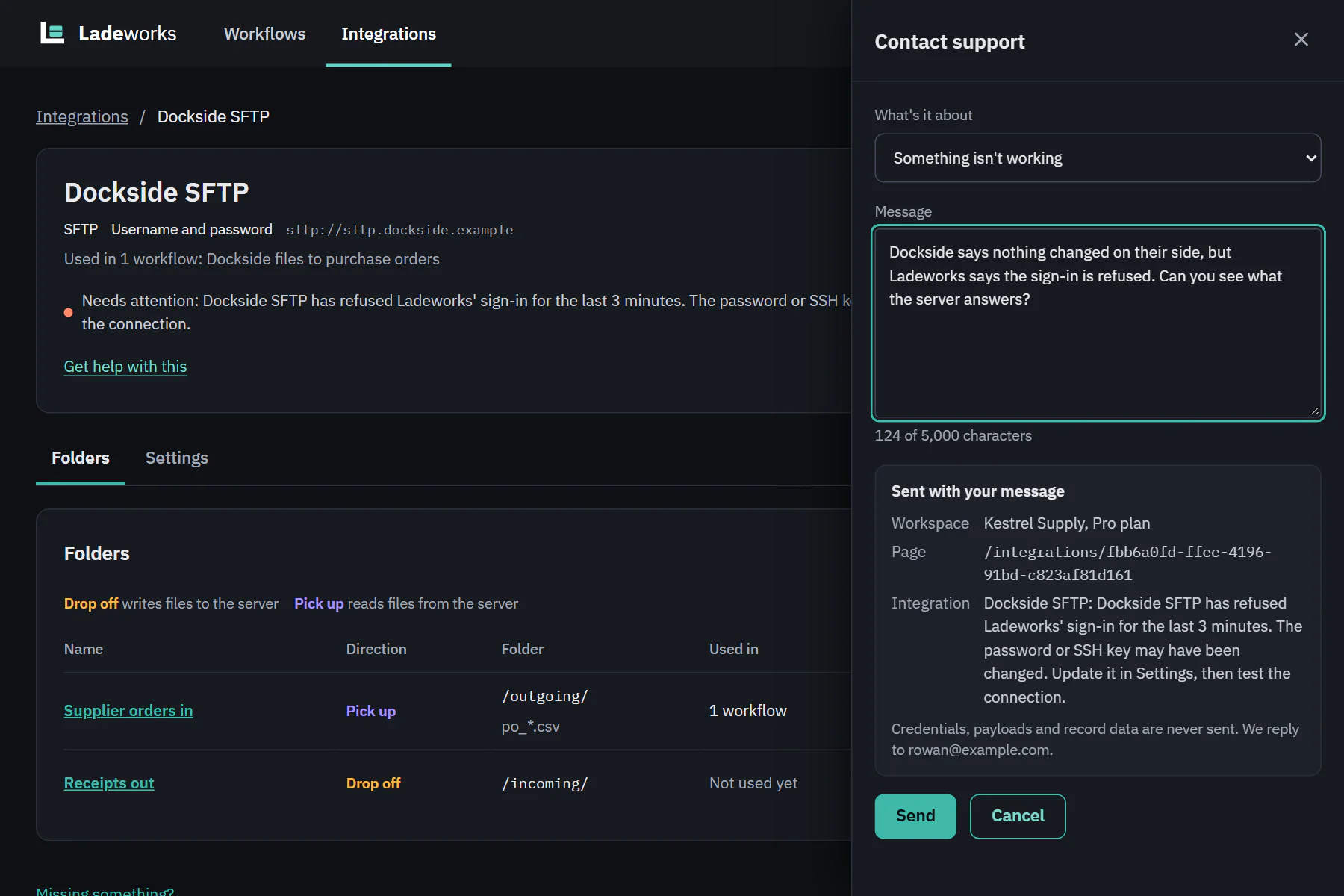
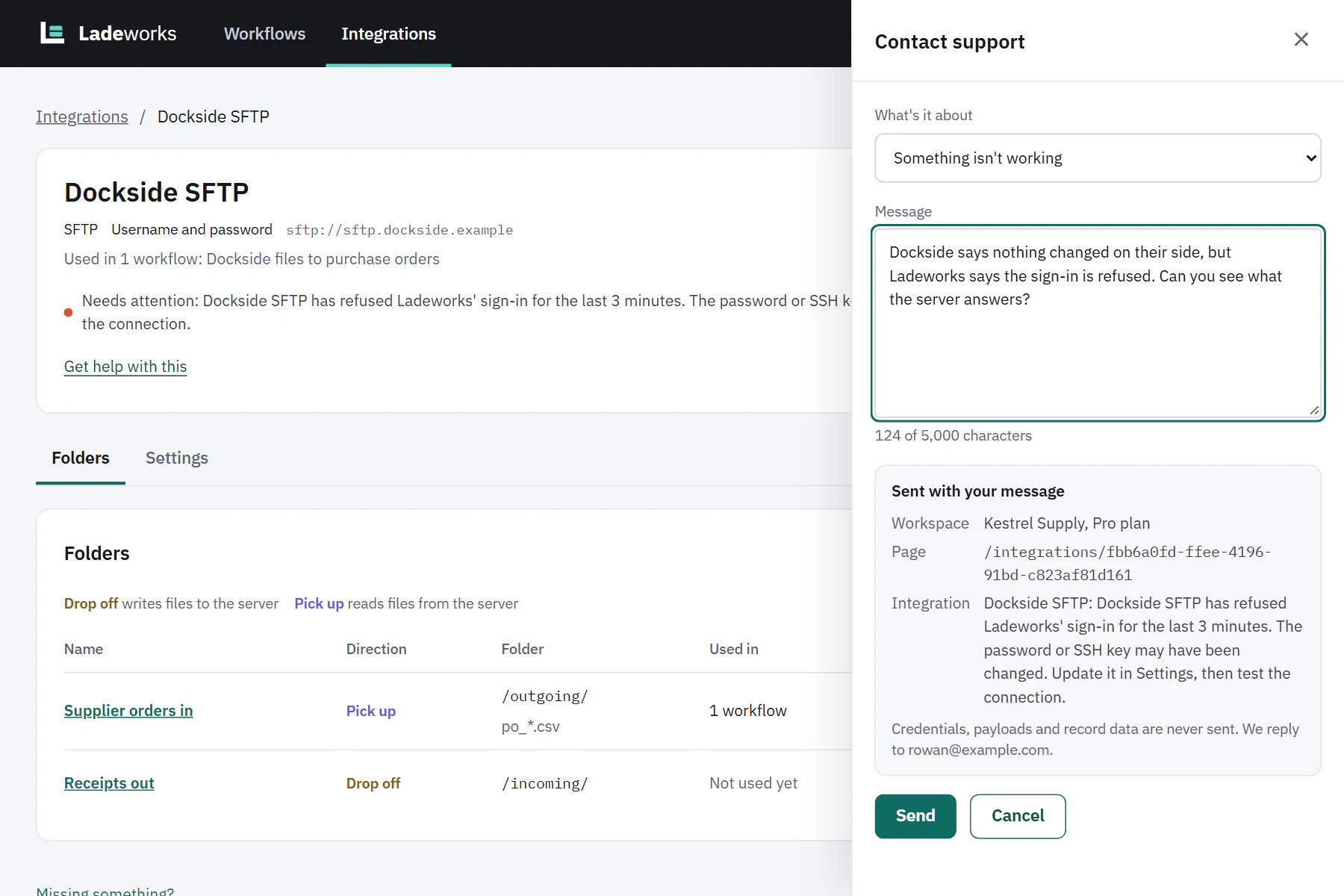
When an integration needs attention, for example because its sign-in is refused, its page shows the problem next to the status, with Get help with this under it. The panel lists the integration and the reason: the integration's name followed by the status line.
 (opens the full size image in a new tab)
 (opens the full size image in a new tab)
Credentials are never attached. Fix the sign-in yourself first if you can: see How Ladeworks keeps credentials safe for how stored credentials are handled.
A payment problem
The notice "Your last payment didn't go through" has the same link, with the topic set to Billing. It shows to people who can see billing.
You can change the topic and write your own message before you send. Choose Cancel to close the panel without sending anything.