DocsConnect an integration
API changes
APIs change. Once a week, Ladeworks checks each API integration's docs link and spec, and watches real responses for deprecation and sunset signals. When something changes, you hear about it before a workflow breaks.
The API changes tab
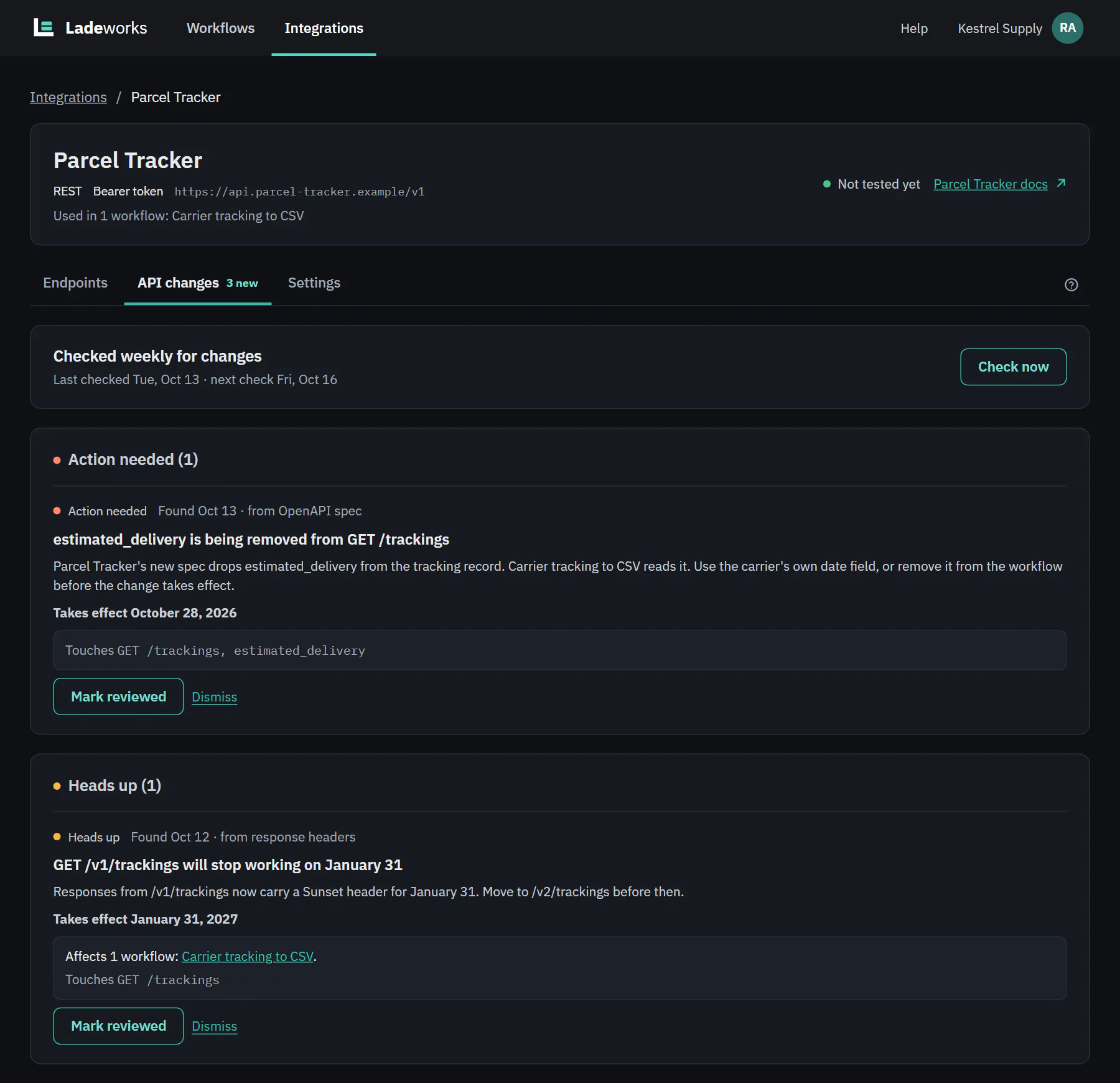
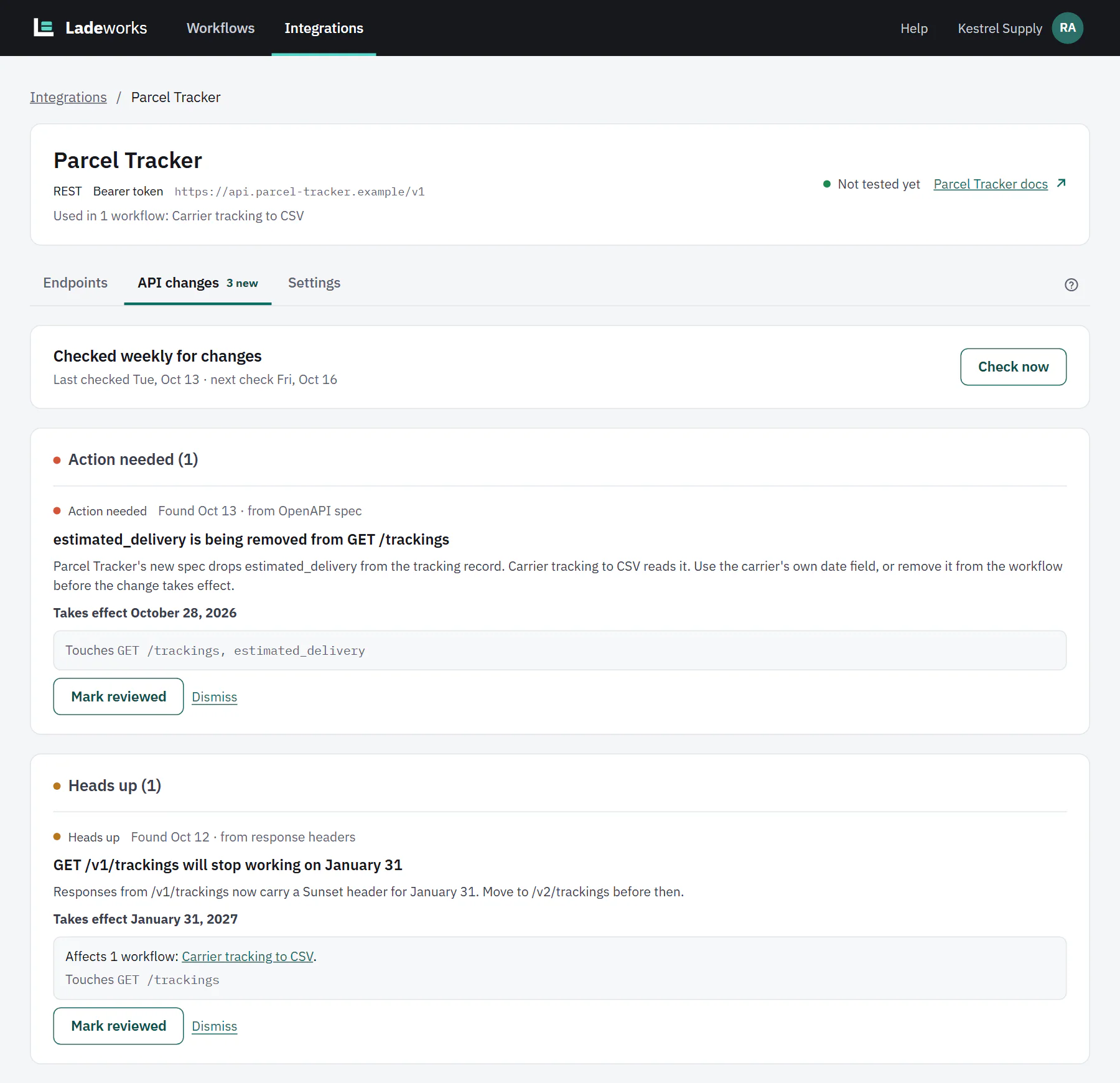
Open an API integration and choose API changes. A count shows how many changes are new. At the top, "Checked weekly for changes" says when it last checked and when it checks next. Check now checks right away. If there is no docs link or spec link, add one in Settings to start checking. An integration pinned to a version says so, with a link to review it, and changes in other versions show up as a heads up.
Under What we watch you see each source and how often it is checked: the docs link, the spec, and the Deprecation and Sunset headers of every response.
Severities
Changes are grouped by how much they matter, each with a dot and a word.
- Action needed. Something a workflow uses will break, for example a field it reads is being removed.
- Heads up. A deprecation or an upcoming change, such as a sunset date.
- No impact. A change that doesn't affect anything you use, such as a new field. It is logged here without an alert.
Each change says when it was found and from where (the OpenAPI spec, response headers or the docs), explains what is changing, and says when it takes effect if it has a date. "Touches" lists the endpoints and fields involved.
 (opens the full size image in a new tab)
 (opens the full size image in a new tab)
Which workflows are affected
When a workflow uses what changes, the change says "Affects" that many workflows and links to each. Ladeworks matches changes against the endpoints and fields your workflows use right now.
Reviewed or Dismissed
Owners and Admins can handle each change.
- Mark reviewed says you looked at it and know what to do. Use it when you fixed the workflow or made a plan.
- Dismiss says you don't need to act on it.
- Either way, the change moves down to "Reviewed and dismissed", marked with its status. Undo puts it back as new.
The note on the Workflows page
A new Action needed or Heads up change shows on the Workflows page as a gray note under each affected workflow: "Parcel Tracker API change on" a date, "affects this workflow", with Review and Dismiss. The date is when the change takes effect, or when it was found. Review opens the integration's API changes tab. Dismiss marks the change dismissed, and is for Owners and Admins. If more than one change affects the workflow, the note shows the most serious and adds "(and N more)".
Teams can also get an alert when a change is found, in the notification settings.
 (opens the full size image in a new tab)
 (opens the full size image in a new tab)