DocsUsage and billing
Usage and the spending cap
The Workflows page always shows where your calls stand this month, how you are pacing, and what happens if you pass what your plan includes.
The API calls card
 (opens the full size image in a new tab)
 (opens the full size image in a new tab)
- Calls this month out of the included amount, and when they reset: "Resets" and the date, always the 1st of next month.
- Pace. "On pace for about 43,900" and the date calls reset. If that is past what you include, it says how far over and what that costs: "That's about 4,000 over, roughly $4 extra."
- Cap. A line for people who can see billing, such as "Within your $50 spending cap." It changes to how much of the cap is used, or "You reached your $50 spending cap."
- Biggest workflow. "Biggest: Nightly order export, 36% of your calls." When batching would help, this becomes a link to turn it on (see Cutting calls).
Click the card to open Plan and billing. Each row of the workflows table also shows that workflow's calls and its share of usage.
The spending cap
Your plan includes 50,000 calls a month. Past that, extra calls cost $1 per 1,000, up to the spending cap you set. On Starter, Pro and Business. Open Settings, then Plan and billing, and choose a value under "Monthly spending cap for extra calls". It saves as soon as you choose. Owners and Admins can change it.
- $25. Extra calls stop when they cost $25 in a month.
- $50 (the default). Extra calls stop when they cost $50 in a month.
- $100. Extra calls stop when they cost $100 in a month.
- $250. Extra calls stop when they cost $250 in a month.
- No cap. Extra calls are never refused, and you pay for all of them.
- None, pause workflows at the limit. Nothing is billed beyond the included calls. Workflows pause when they are used up.
"Extra so far this month" shows what extra calls cost so far. The plan on the lowest tier has no extra calls: its workflows pause at 100 calls.
Spending caps are on Starter, Pro and Business.
The 80% email
When you have used 80% of your included calls, Ladeworks emails the people who can see billing once for the month: "You've used 80% of your API calls". It says how many calls you have used, when they reset, your forecast, and a tip to batch your biggest workflow. You get another email when the cap is reached. Both come right away, even if you chose the daily summary, and a person can turn them off under Usage is high in notifications.
When the cap is reached
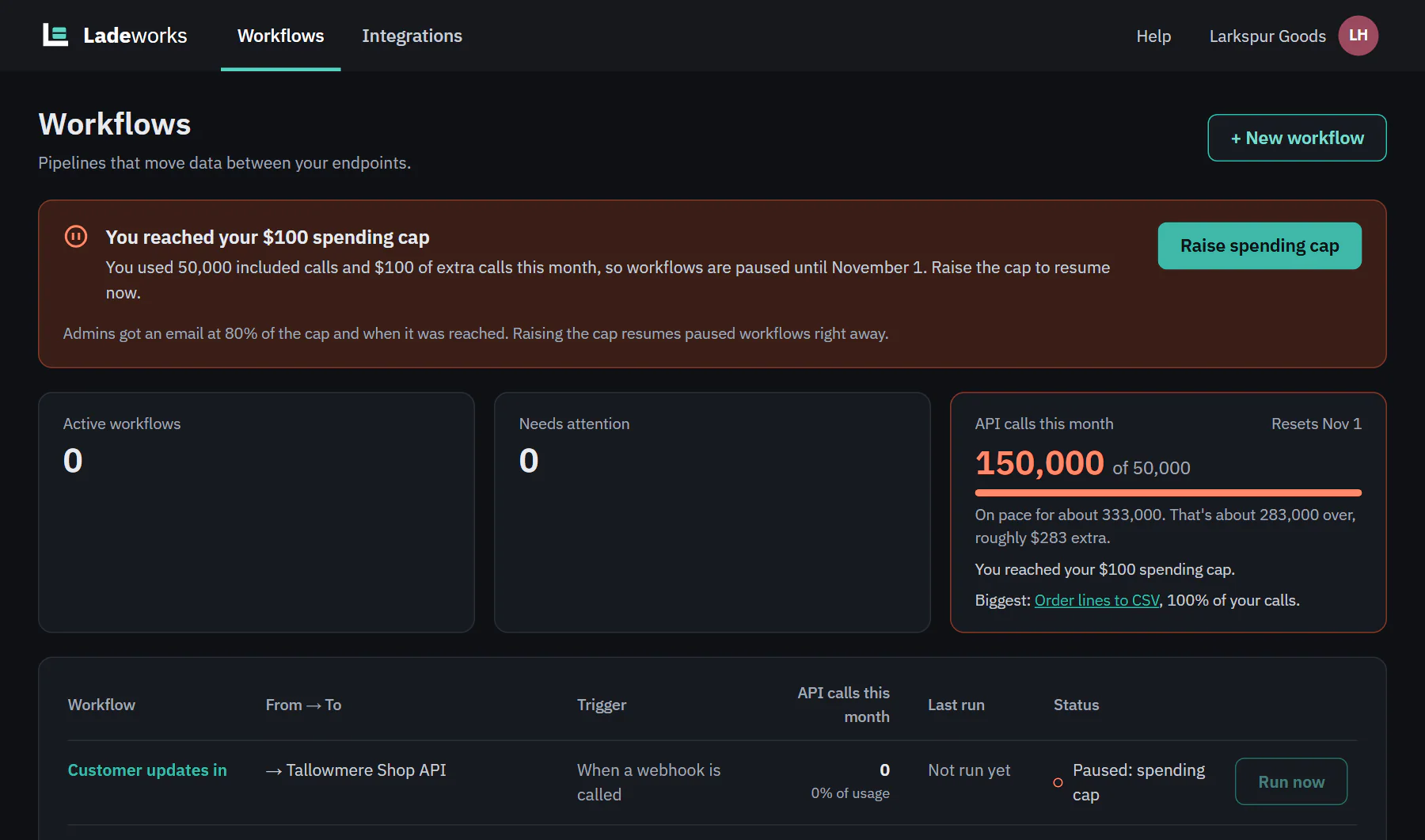
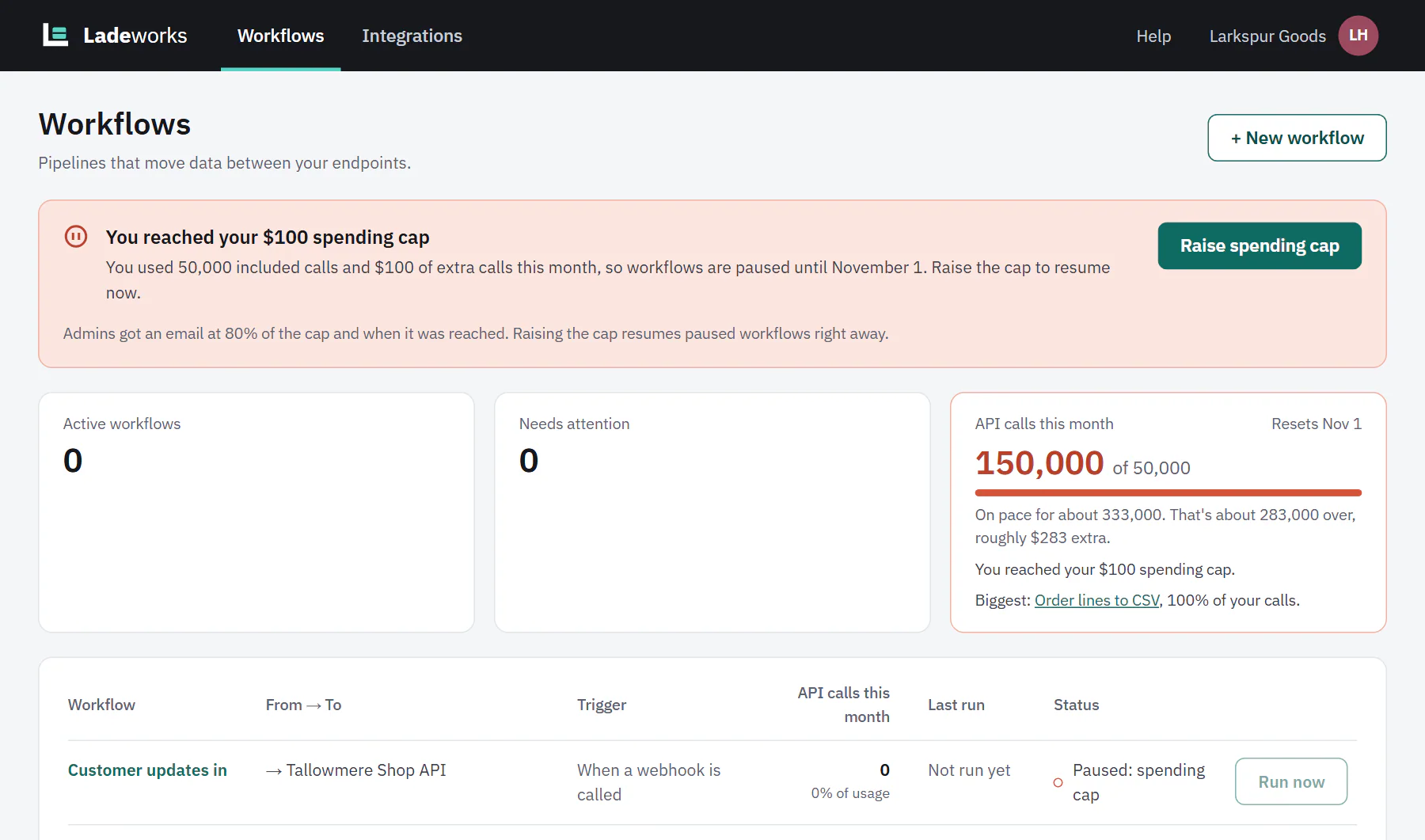
Every workflow that is on is paused with the status "Paused: spending cap" until the 1st of next month. A banner at the top of the Workflows page says "You reached your $50 spending cap" (with your own amount) and when workflows start again. Nothing is deleted, and a run that was in progress ends early rather than failing. If your cap is set to pause at the limit, the banner reads "You reached your 50,000 included API calls" and the status is "Paused: out of calls".
 (opens the full size image in a new tab)
 (opens the full size image in a new tab)
The banner has two buttons: Turn on batching (when your biggest workflow could use it) and Raise spending cap for Owners and Admins. Everyone else sees "Ask an Owner or Admin to raise the spending cap."
Raise the cap
- Choose Raise spending cap. It opens Plan and billing at the cap.
- Choose a higher amount, No cap, or, if you paused at the limit, an amount ("Allow extra calls").
- The page says "Spending cap saved." and lists the workflows that can run again. They resume right away.
A new month resumes them too, on the 1st. A workflow someone paused by hand stays paused.
Out of calls
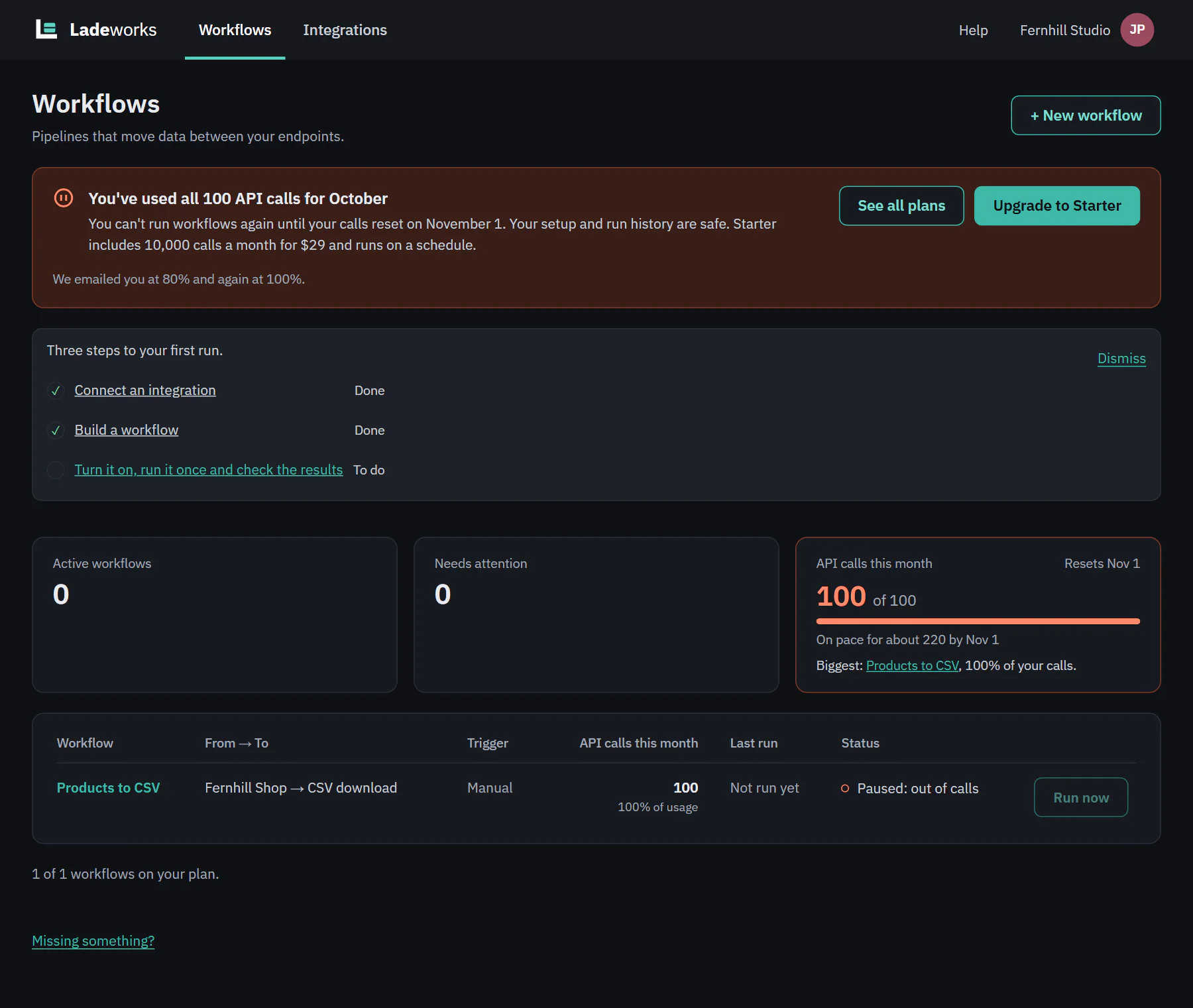
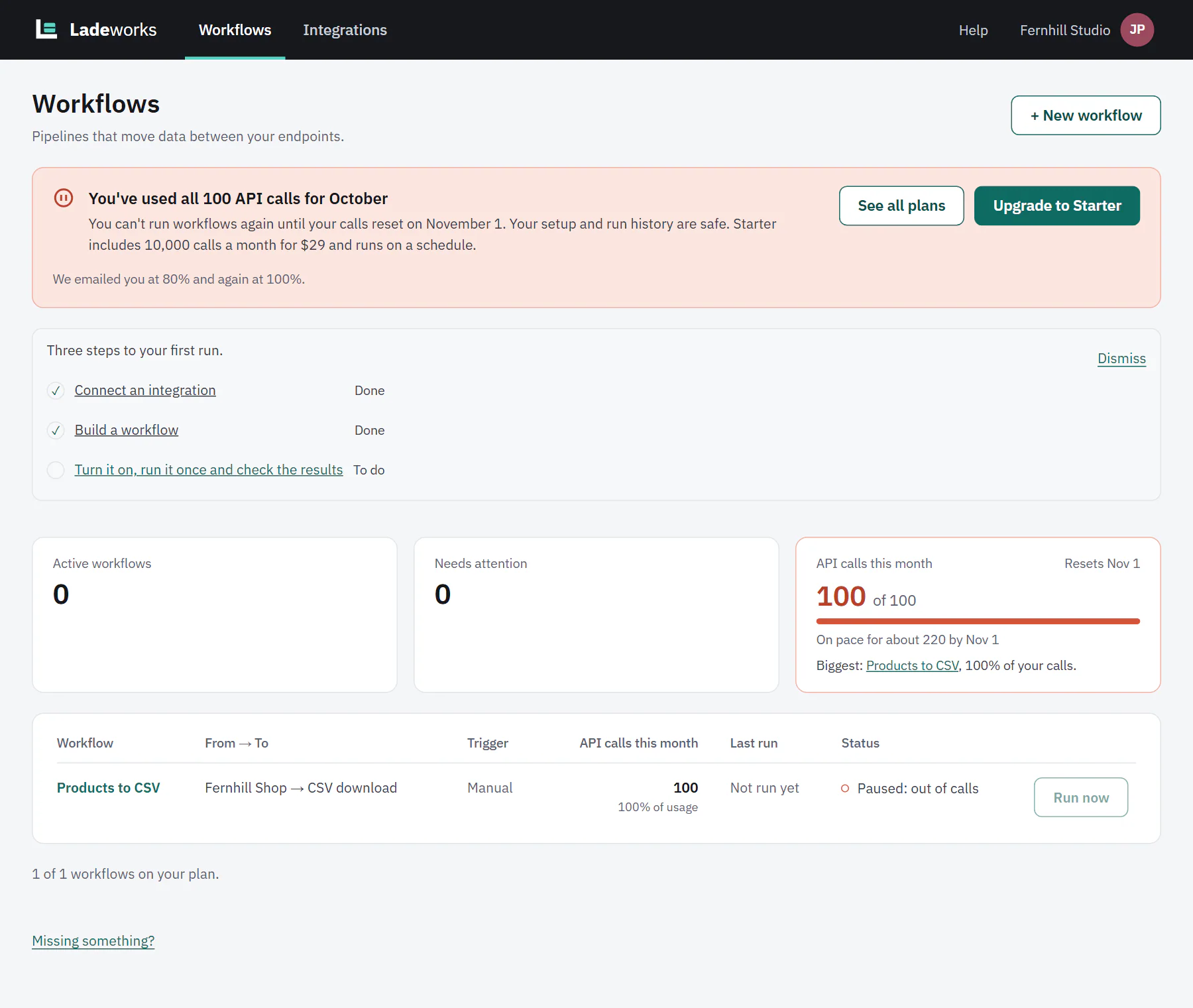
A plan with no extra calls pauses at its included calls: 100 on the lowest plan. The banner says "You've used all 100 API calls for" and the month, that your setup and run history are safe, and when calls reset. Owners and Admins get See all plans and an upgrade button. An upgrade lets workflows run again at once.
 (opens the full size image in a new tab)
 (opens the full size image in a new tab)