DocsHelp
Missing something?
If Ladeworks cannot do something you need yet, or something confused you, tell us from the page you are on. It works on every plan.
Where to find it
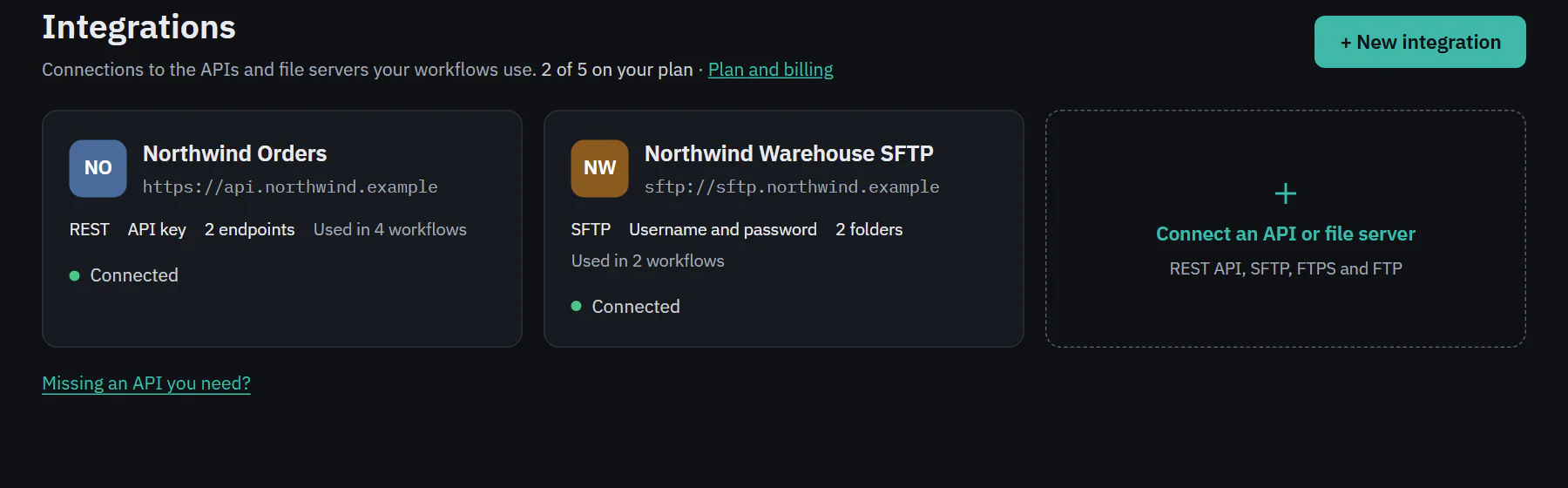
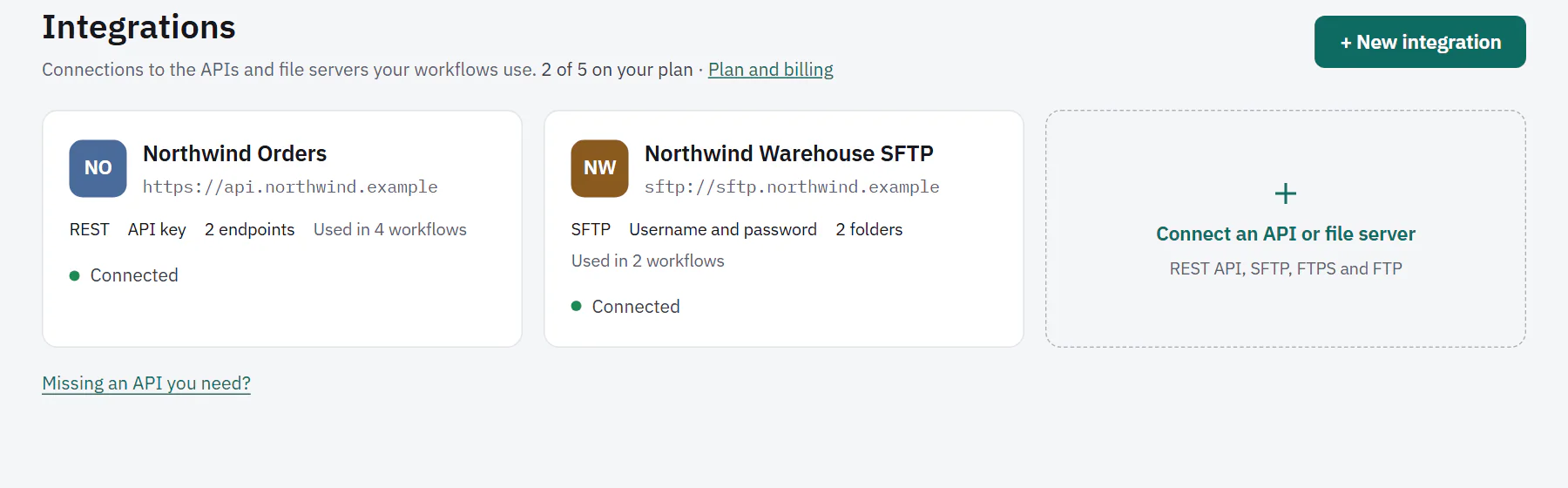
A link at the bottom of most pages opens the panel. Its wording changes with the page: Missing an API you need? on Integrations, Missing a setting you need? in Settings, and Missing something? on workflow pages, integration pages and the new integration steps.
 (opens the full size image in a new tab)
 (opens the full size image in a new tab)
Send a report
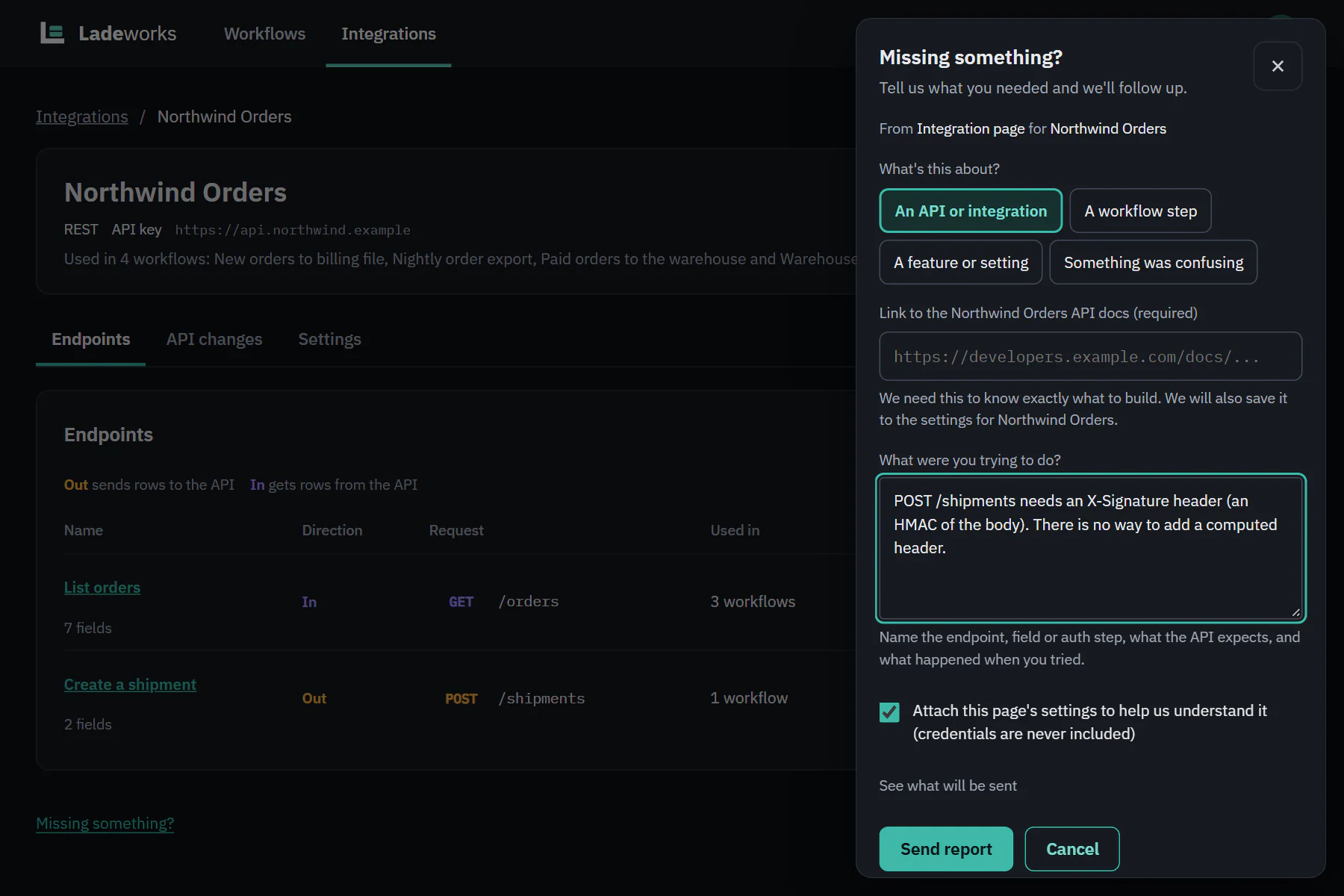
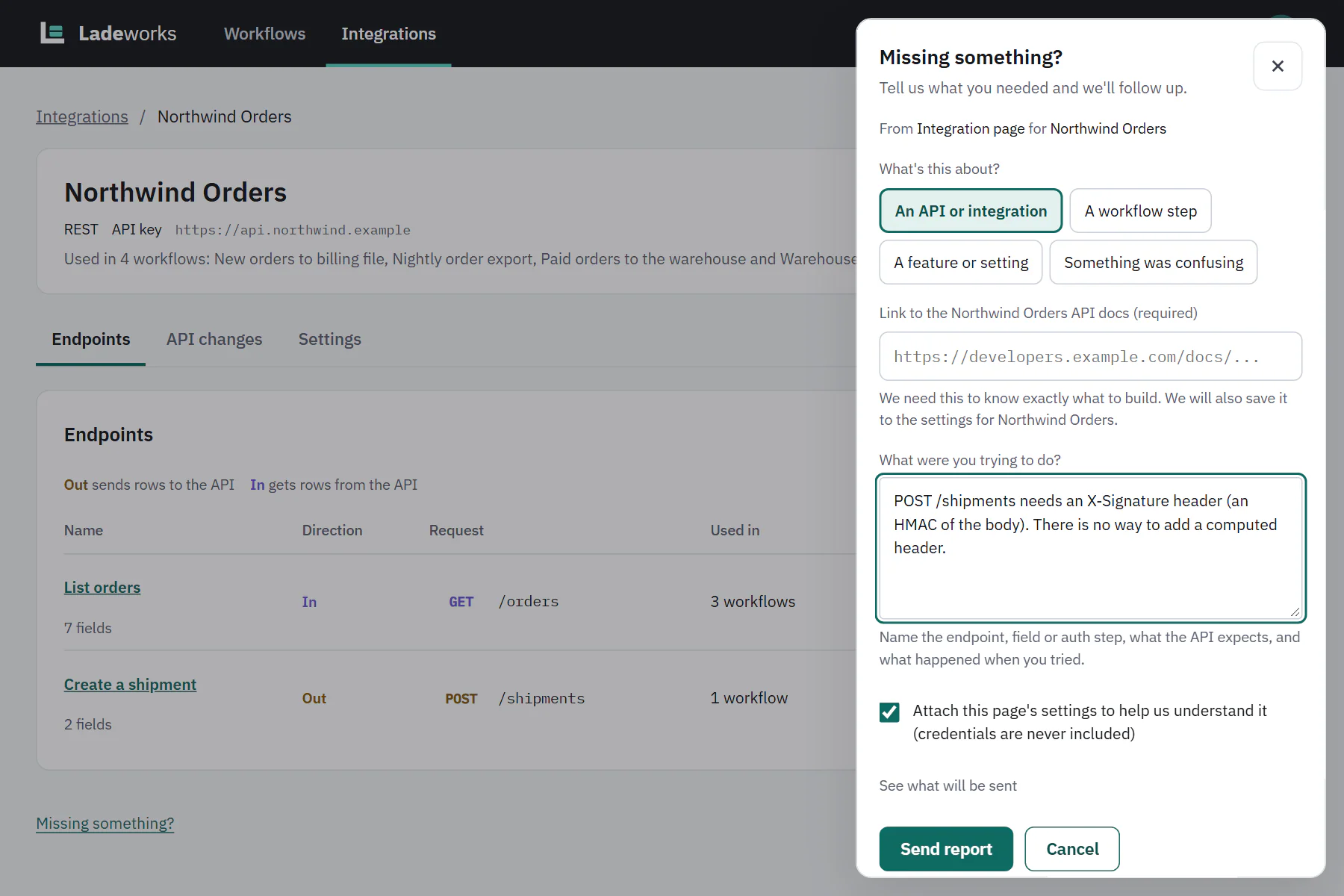
- Choose what it is about: An API or integration, A workflow step, A feature or setting or Something was confusing. The page you were on usually picks the right one.
- Write what you were trying to do. A hint under the box says what helps most for that kind, such as the endpoint or field for an API, or what you expected to happen for something confusing.
- For an API or integration, add a link to the API docs. It is required only when the integration has no docs link saved yet, and Ladeworks saves it to the integration's settings. If one is saved, the field is filled in and you can point it at the exact page you need.
- Choose Send report.
 (opens the full size image in a new tab)
 (opens the full size image in a new tab)
Attaching the page's settings
On pages with settings you can tick Attach this page's settings to help us understand it (credentials are never included). See what will be sent shows exactly what goes along before you send. Credentials are removed in your browser and again on the server.
After you send
The panel says "Thanks, we got it. You'll get an email when this is added or if we have a workaround." If you gave a docs link for an integration that had none, it says that the link was saved to the integration's settings too. Reports do not need Contact support, so they work on every plan. For a problem you need solved now, use Contact support where your plan has it.