DocsMonitoring and alerts
Workflow statuses
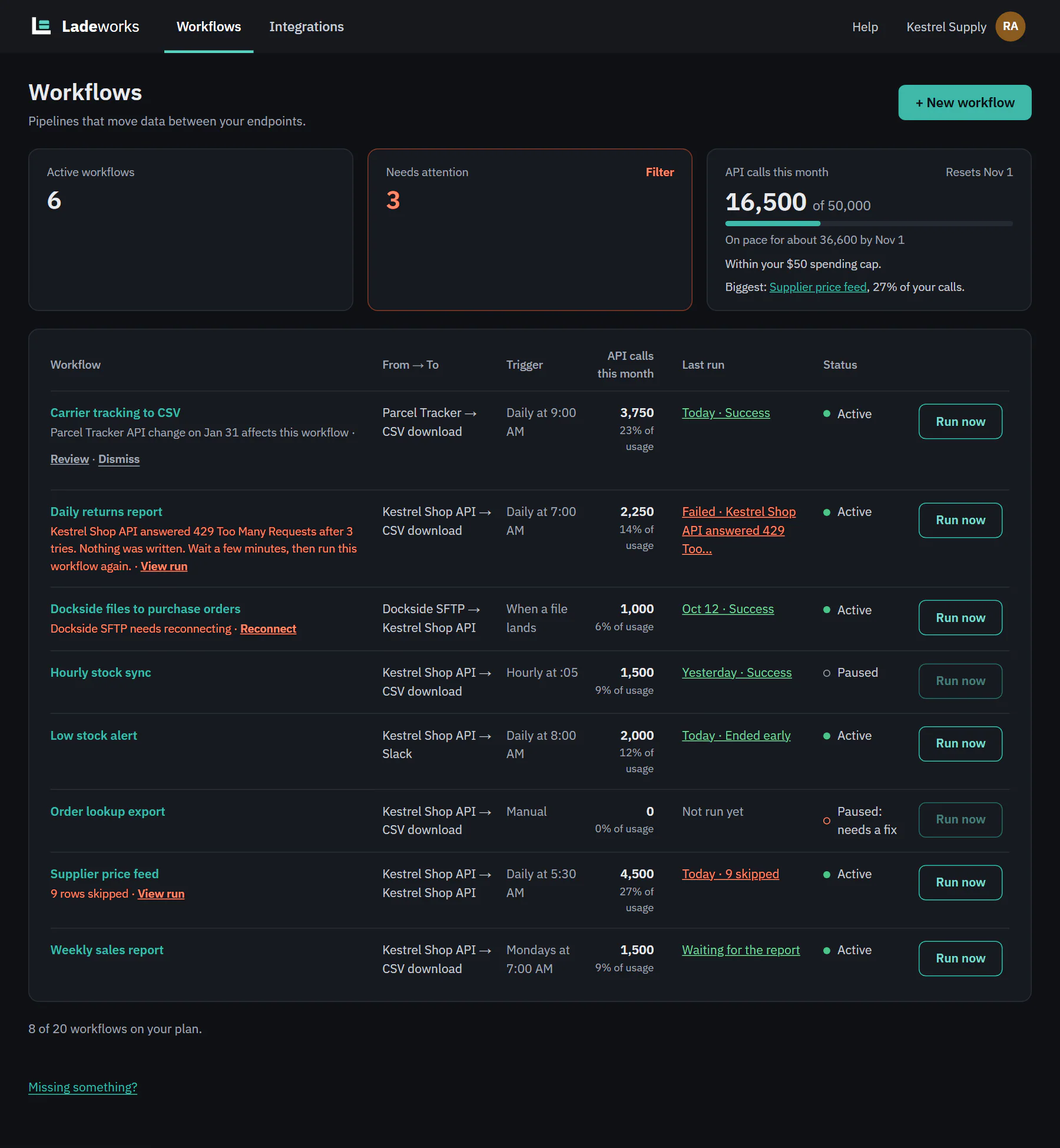
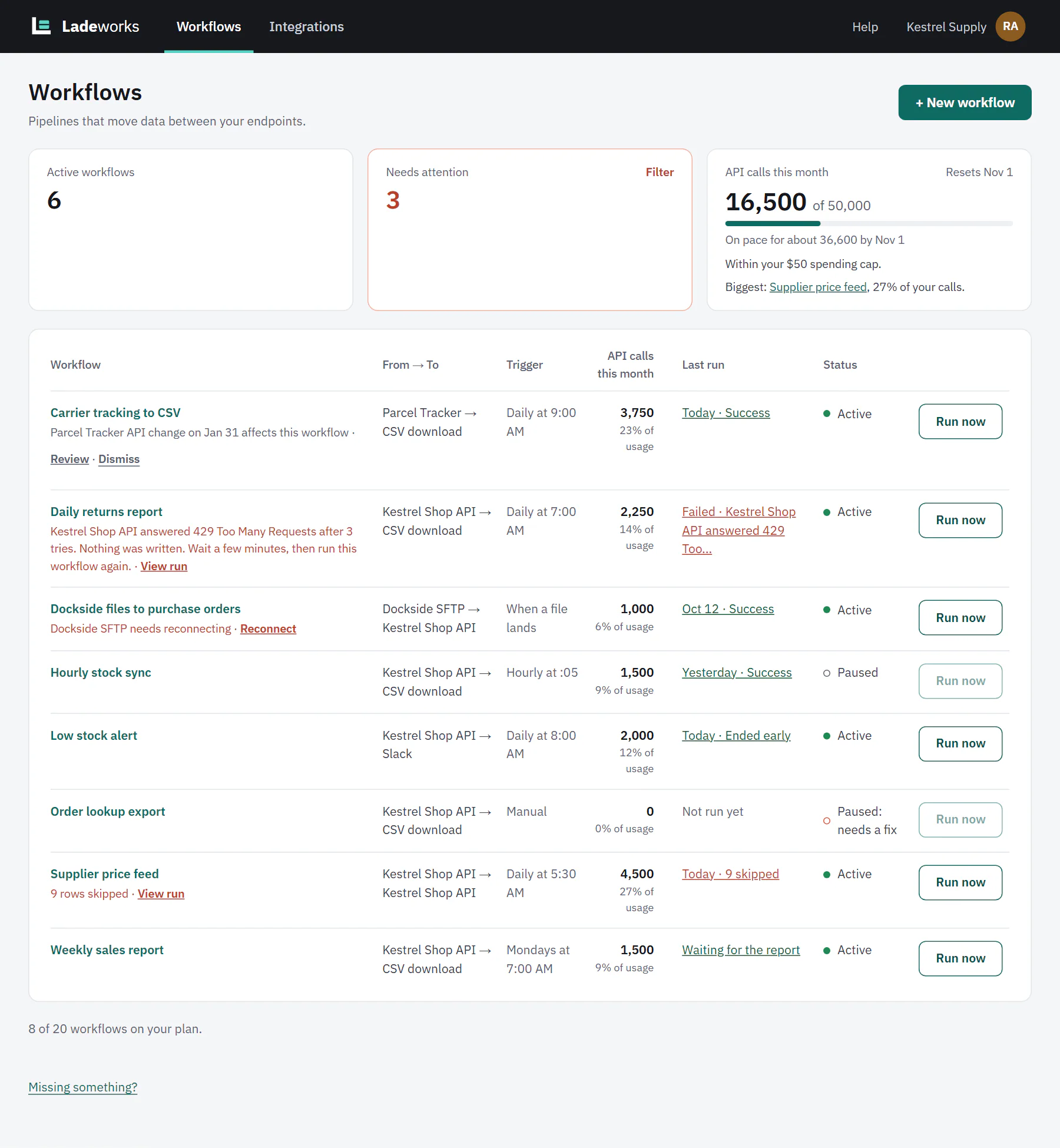
Every workflow shows a status on the Workflows page and next to its switch: a dot and a word. A workflow is either active or paused. When Ladeworks pauses one, the status says why, and the reason decides whether it starts again by itself.
 (opens the full size image in a new tab)
 (opens the full size image in a new tab)
Active and paused by a person
- Active. A green dot. The workflow runs when its trigger fires, and you can run it by hand.
- Paused. A hollow gray ring. Someone turned the switch off, or the workflow was never turned on. Nothing runs, and Run now is off, and its tooltip says "Paused. Turn it on to run it." Turn the switch on when you want it back. Ladeworks never turns a workflow on again that a person paused.
Paused by Ladeworks
When Ladeworks pauses a workflow, the status reads "Paused:" and a reason, in an amber ring. Nothing is deleted, and your settings and run history stay. The note under Run now says what to do.
Paused: out of calls
The workspace used all its included API calls this month. This happens on a plan that has no extra calls, and on any plan where the spending cap is set to "None, pause workflows at the limit". The workflow comes back by itself when calls reset on the 1st, or at once when the workspace gets more calls (an upgrade, or the cap set to allow extra calls). See Usage and the spending cap.
Paused: spending cap
The workspace used its included calls and then reached its spending cap. It comes back by itself on the 1st, or at once when someone raises the cap. Owners and Admins see a Raise spending cap link. Raising the cap lists the workflows that can run again.
Paused: needs Pro, or fits your plan now
The plan no longer includes something the workflow uses, such as a trigger, a step type or a longer list of steps. This happens after a downgrade or when a plan ends. The status names the plan that has it, for example "Paused: needs Pro", and the line under the name says what is in the way. Upgrade and Edit to fit links sit in that line. Edit to fit opens the step to change.
Upgrading resumes these workflows by itself. If you change the workflow so it fits, the status becomes "Paused: fits your plan now" and the line says to turn it on. Turning it on is up to you.
Paused: schedule not on plan
The schedule is faster than the plan allows. Choose a slower schedule with Edit to fit, then turn the workflow on. It does not resume by itself.
Paused: plan ended
The plan you paid for ended and the workspace moved to the lowest plan, so every workflow that was on is paused. Nothing is deleted. Turn on the ones you want that fit the plan you have now, or upgrade. These never turn on by themselves.
Paused: needs a fix
The workflow could not run as saved, for example because a step has no value for a field the endpoint needs. The note says what, and the Open that step link goes to it. Fix it, then turn the workflow on. It does not resume by itself.
Which ones come back by themselves
| Status | Comes back |
|---|---|
| Paused (by a person) | Never. Turn it on. |
| Paused: out of calls | On the 1st, or when the workspace gets more calls. |
| Paused: spending cap | On the 1st, or when the cap is raised. |
| Paused: needs Pro (plan feature) | When the plan has the feature again. Turn it on if you edited it to fit. |
| Paused: schedule not on plan | Never. Choose a slower schedule and turn it on. |
| Paused: plan ended | Never. Turn it on. |
| Paused: needs a fix | Never. Fix it and turn it on. |
A workflow that a person paused keeps that status even when the workspace hits a limit. Only active workflows are paused by the system.
Related
- Needs attention and issue lines: problems on workflows that are still active.
- Usage and the spending cap: why a workflow pauses for calls.