DocsMonitoring and alerts
Your notifications
Notifications are personal. Open Settings, then Notifications, and choose what you hear about and how. These settings only affect you.
Events
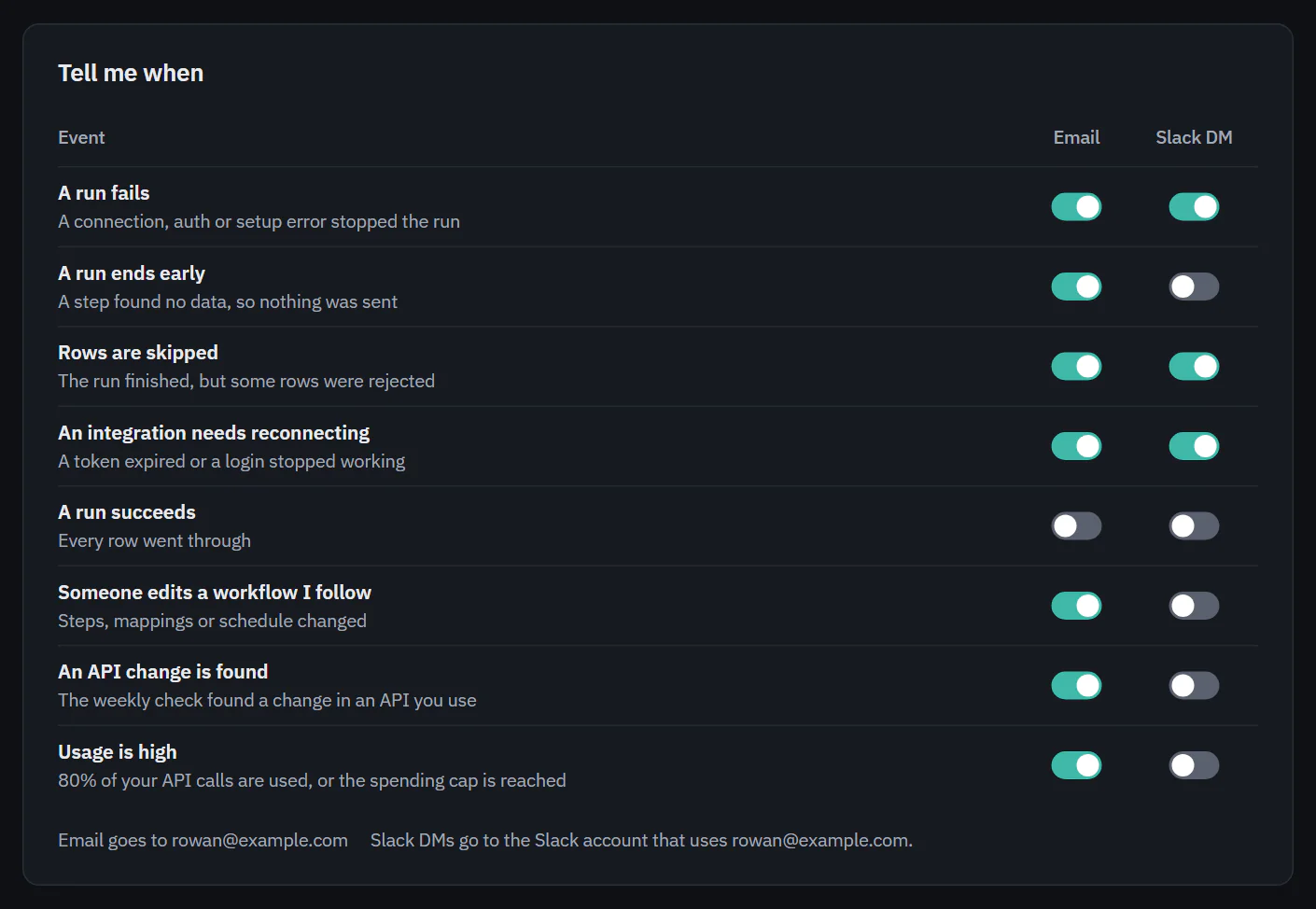
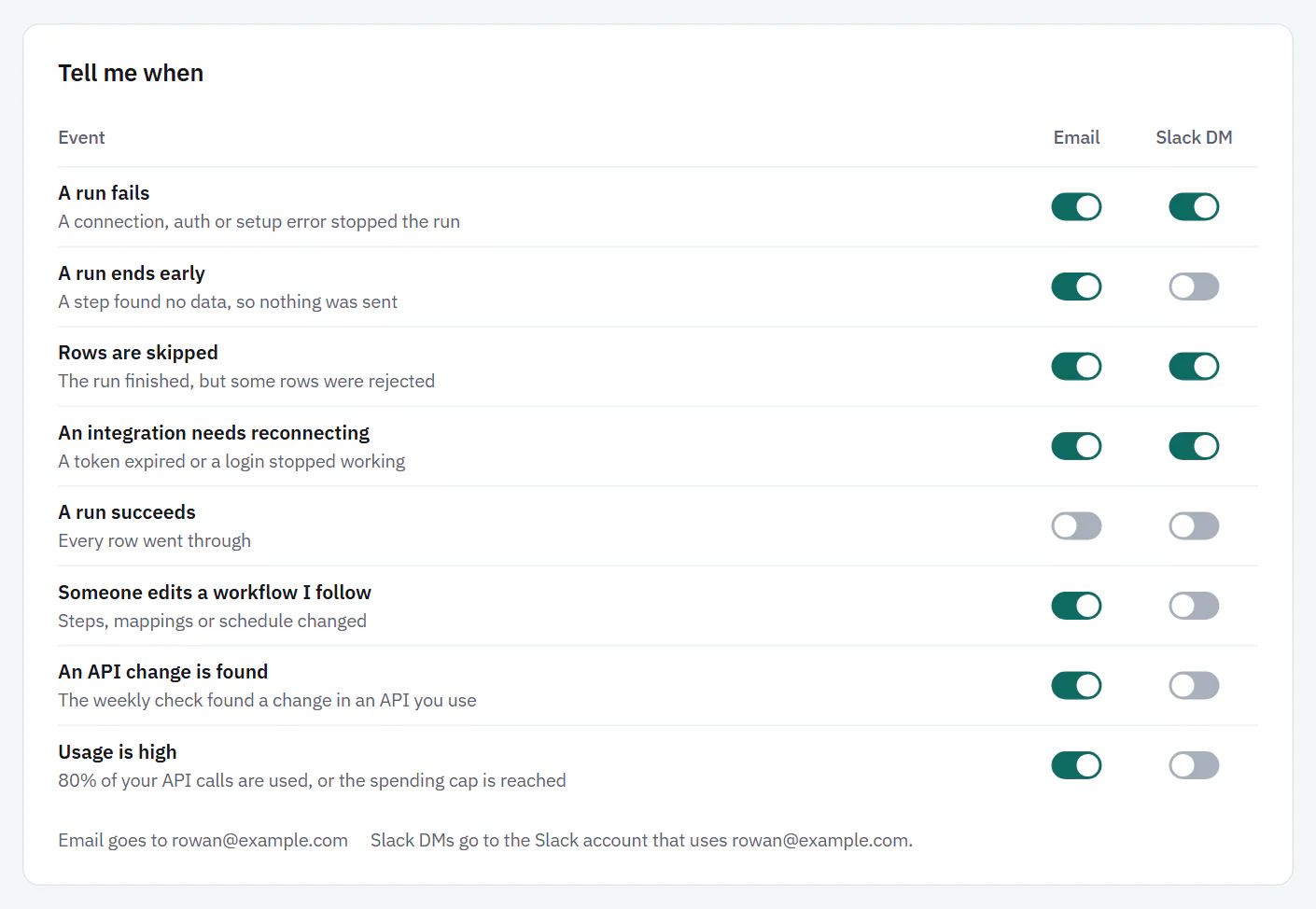
Under "Tell me when", each event has a switch for Email and one for Slack DM.
 (opens the full size image in a new tab)
 (opens the full size image in a new tab)
- A run fails. A connection, auth or setup error stopped the run. On by email until you change it.
- A run ends early. A step found no data, so nothing was sent. Off until you turn it on.
- Rows are skipped. The run finished, but some rows were rejected. On by email.
- An integration needs reconnecting. A token expired or a login stopped working. On by email. Owners and Admins get it even when they follow nothing.
- A run succeeds. Every row went through. Off.
- Someone edits a workflow I follow. Steps, mappings or schedule changed. You are not told about your own edits, and a burst of saves from one person is one message every 15 minutes.
- An API change is found. The weekly check found a change in an API you use. On by email. Owners and Admins get it.
- Usage is high. 80% of your API calls are used, or the spending cap is reached. On by email. People who can see billing get it.
Under the table, "Email goes to" shows your address. Alert emails go only to a confirmed address, and the page says so until you confirm yours. The Slack DM switches go to the Slack account that uses the same email as you. If Slack is not connected, or no Slack account uses your email, they are off and the note tells you why. On Pro and Business.
On Free and Starter, the Slack DM column is off with the note "Slack and Discord are on Pro and Business." Your saved choices are kept.
Test runs from the builder (Test with 10 rows) never send alerts. The person who started one is watching it.
Following workflows
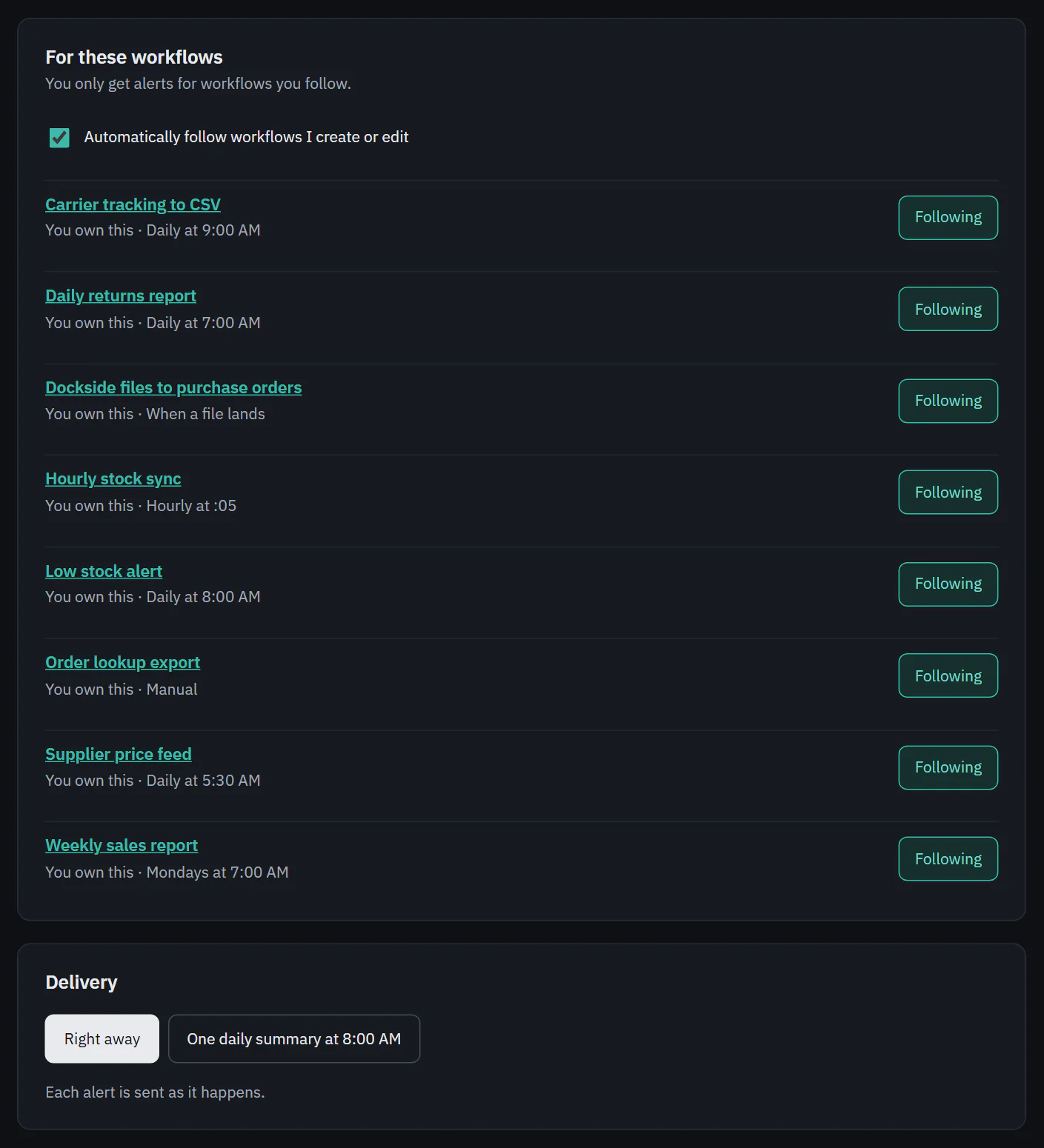
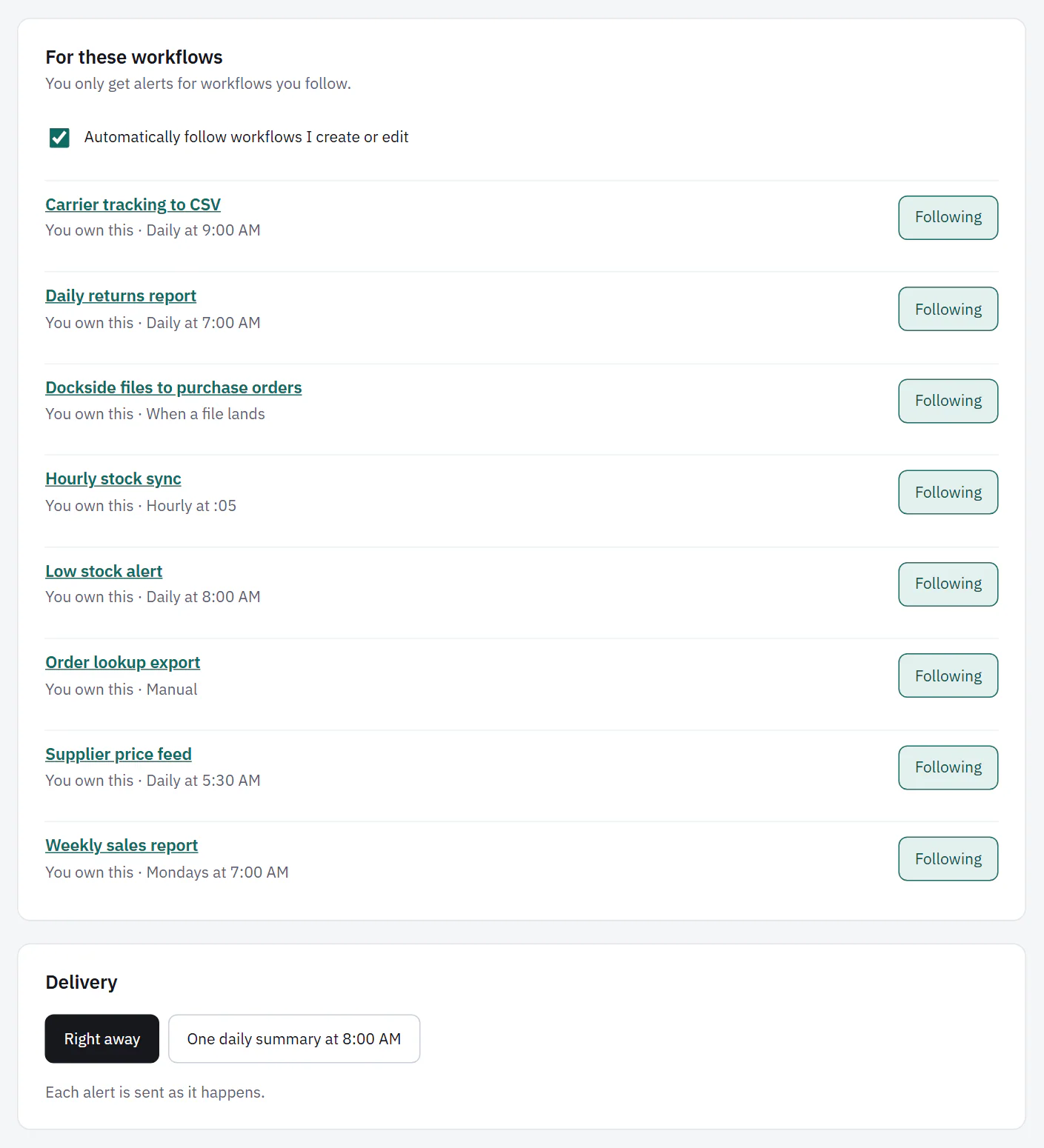
Under "For these workflows", you only get run alerts for workflows you follow. Each workflow has a Follow button that changes to Following. The workflow's own page has the same choice in its More actions menu.
Automatically follow workflows I create or edit is on by default, so the workflows you touch are the ones you hear about. If nobody follows a workflow, its owner still gets an email when a run fails, so failures never go unnoticed.
Right away or one daily summary
Under "Delivery", choose one.
- Right away. Each alert is sent as it happens.
- One daily summary at 8:00 AM. Alerts are bundled into one message at 8:00 AM in your time zone. Failures, reconnect alerts and a reached spending cap still come right away.
 (opens the full size image in a new tab)
 (opens the full size image in a new tab)
Product news and tips are separate. The Email from Ladeworks switch at the bottom is off until you turn it on. It is the same switch as in Profile.